
Move your .co.za domain to Cyber Circuit for free. Here is how to request the transfer and approve the ticket.
If you have a .co.za domain with another provider, you can move it to Cyber Circuit at no cost. This allows you to manage your hosting and domain in one place.
💡 Tip for .com / .org / .net domains:
Transfers for international domains usually cost money and require an EPP code. If you want to host a .com website with us, you don’t have to transfer it! You can simply update your Nameservers at your old provider to point to us.
Step 1: Log Into Your Client Area
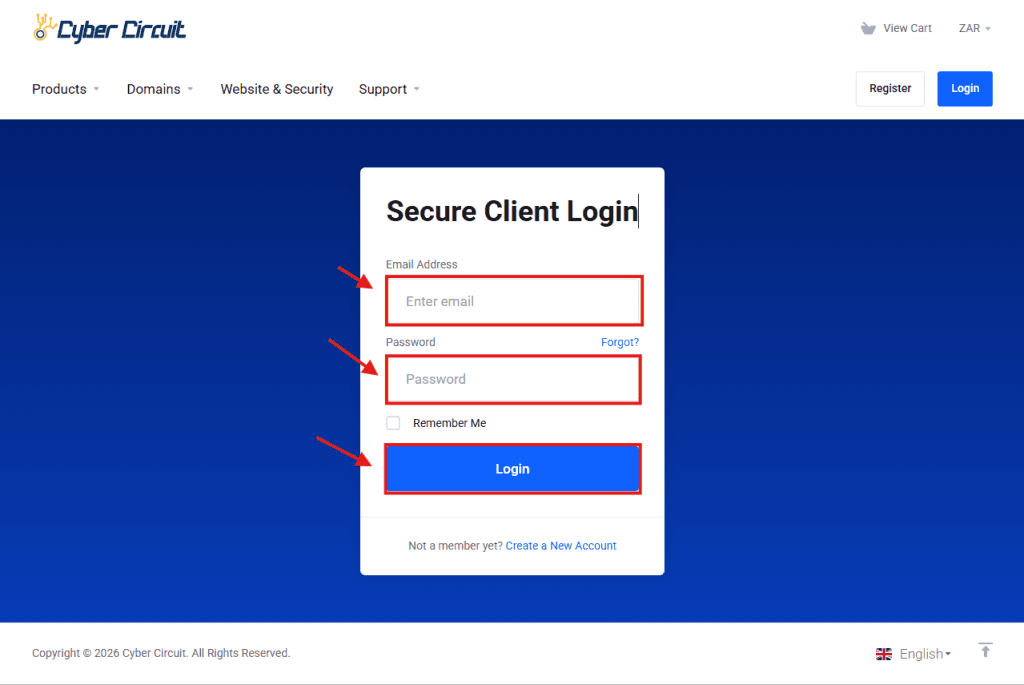
Go to the Cyber Circuit client area login page.
Log in using your email address and password.
Step 2: Open the Domains Manager
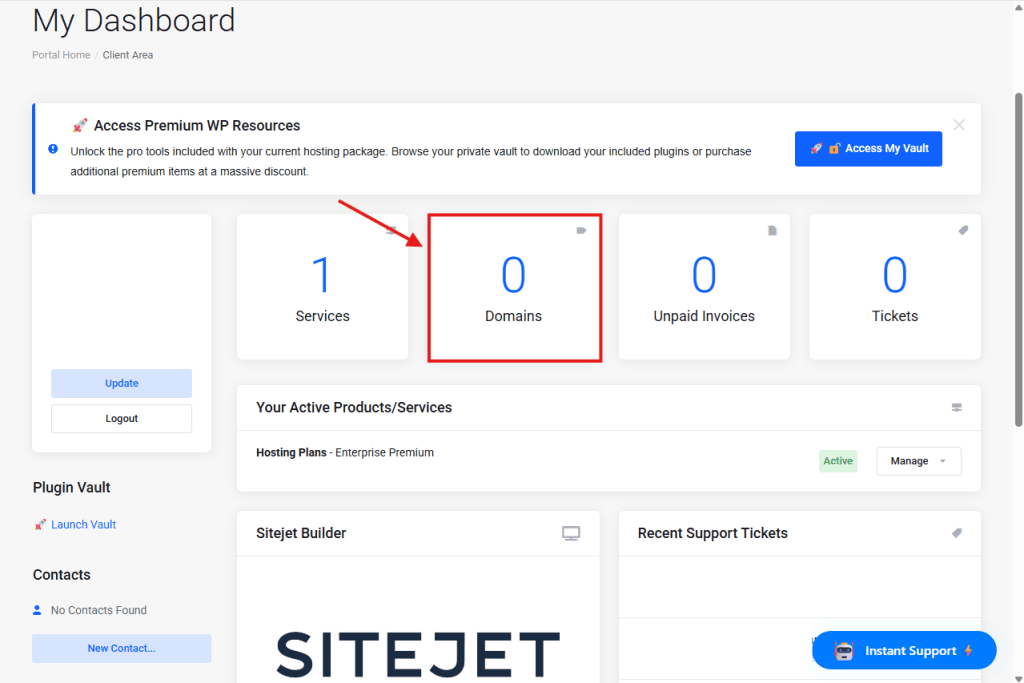
From your Client Area Dashboard, look for the big blocks showing your account overview.
Click on the block labeled Domains
Step 3: Click "Transfer in a Domain"
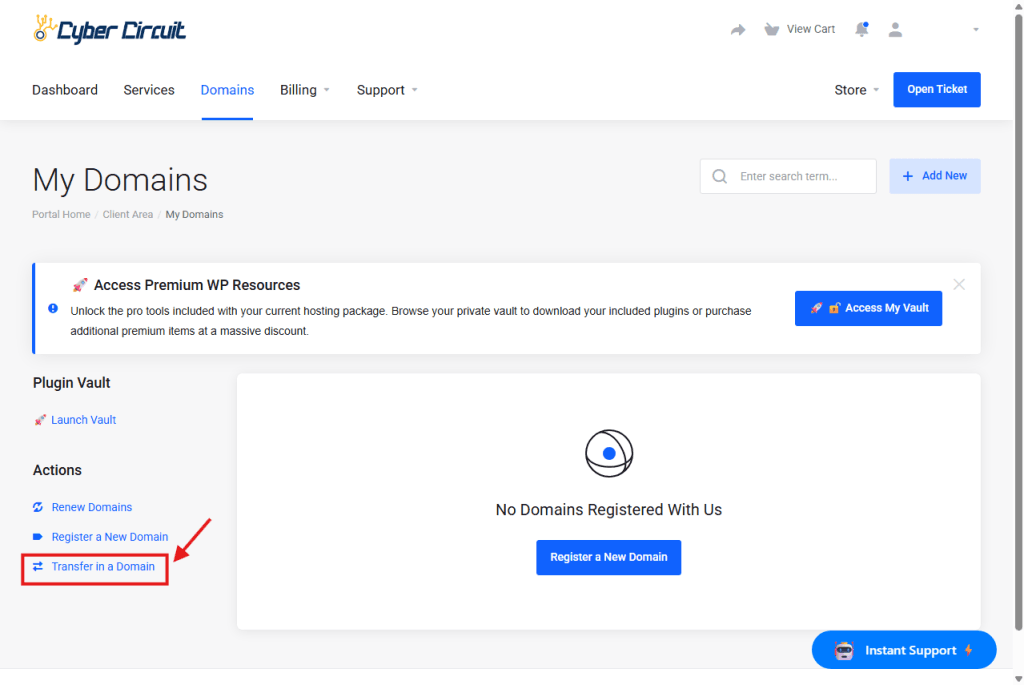
Look at the Sidebar on the left-hand side under the “Actions” menu.
Click the link labeled Transfer in a Domain.
Step 4: Enter Your Domain
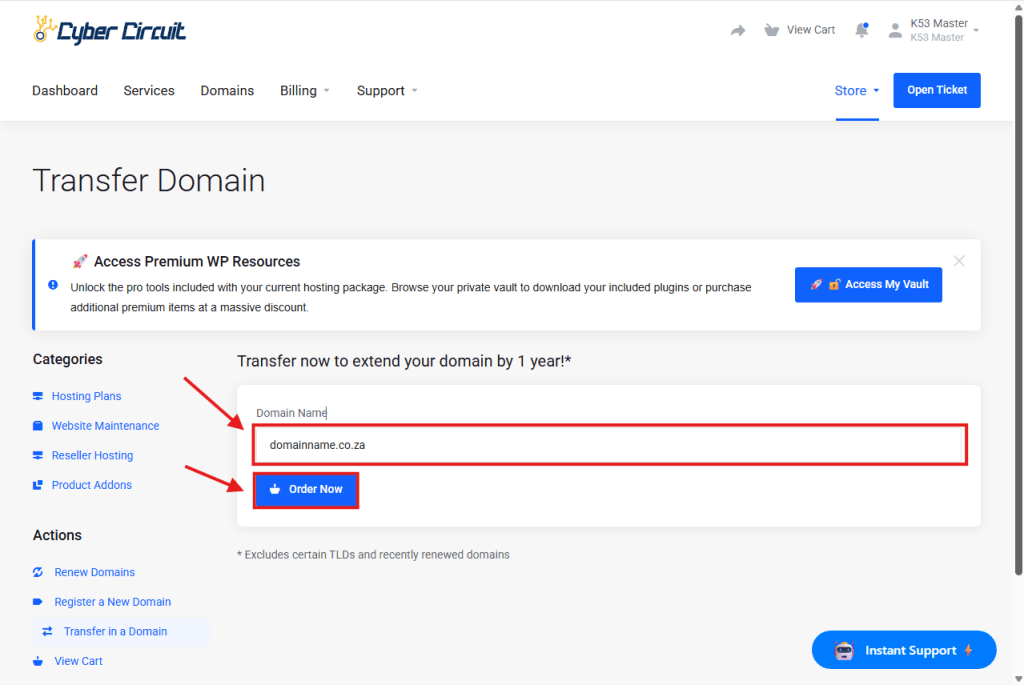
Domain Name: Type the .co.za domain you want to move (e.g., domainname.co.za).
Click the blue Order Now button.
Step 5: Configure Nameservers
You will see the Nameservers section.
If you are hosting with Cyber Circuit, leave these as default (ns1.cybercircuit.co.za…).
Scroll down and Click the blue Continue button at the bottom right.
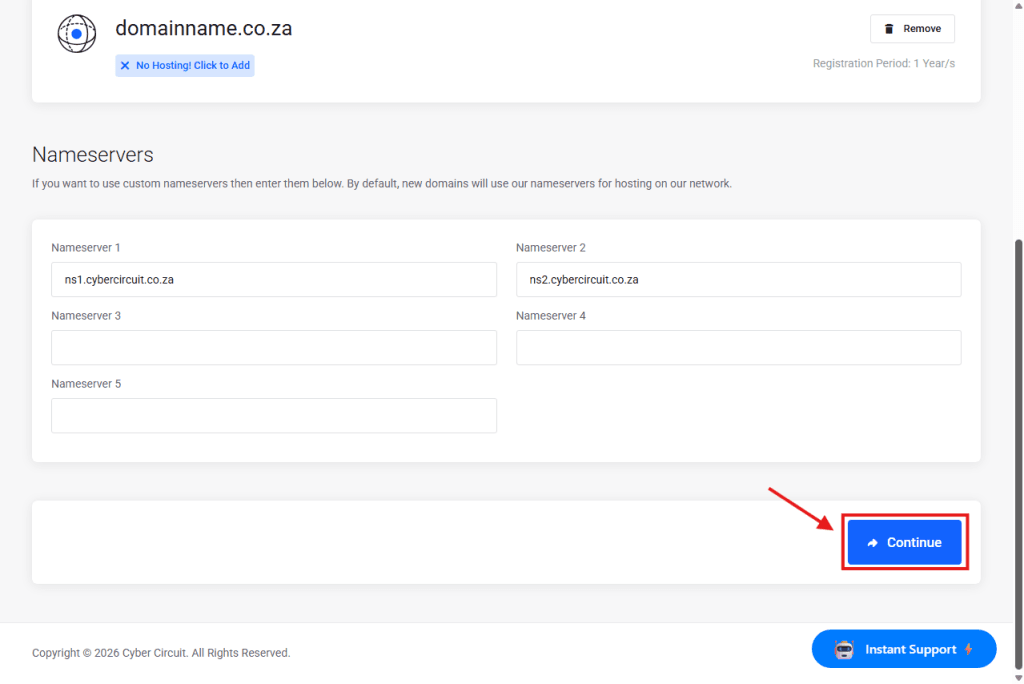
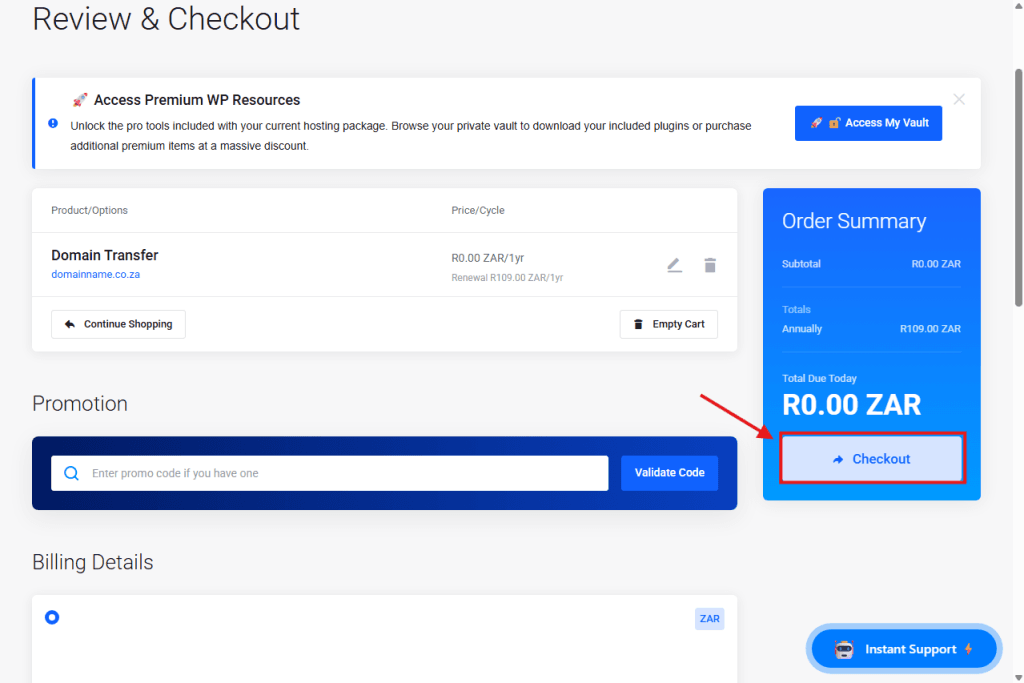
Step 6: Checkout (R0.00)
You will see the total is R0.00 (Free).
Click the blue Checkout button to complete the request.
Step 7: Accept the Ticket (Crucial Step!)
he transfer is not done yet!
The Registry will send an email to the current owner of the domain (the email address currently listed with your old provider).
This email will contain a link to “Accept” or “Approve” the transfer.
You MUST click this link.
Once you click accept, the transfer will complete.