Your Client Area is where you manage your hosting account, download your plugins, view invoices, and access all services from Cyber Circuit. Follow these steps to log in safely and quickly.
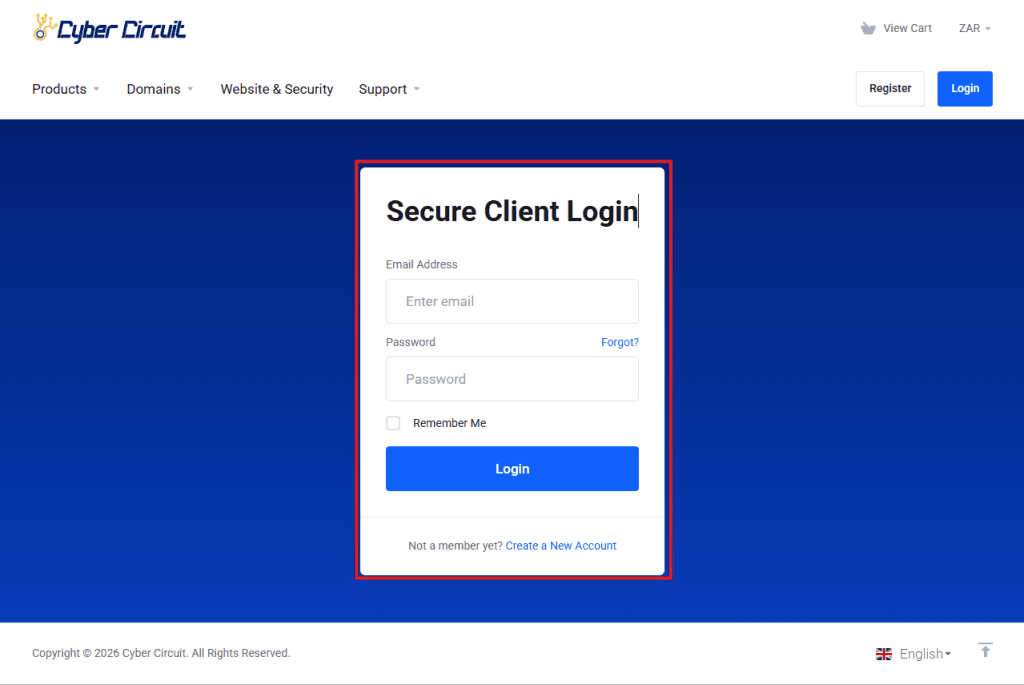
Step 1: Go to the Cyber Circuit Client Area
- Open your web browser (Chrome, Firefox, Safari, etc.).
Type in the following URL:
https://www.cybercircuit.co.za/billing
- Tip: Bookmark this page for easy access next time.
Step 2: Enter Your Login Details
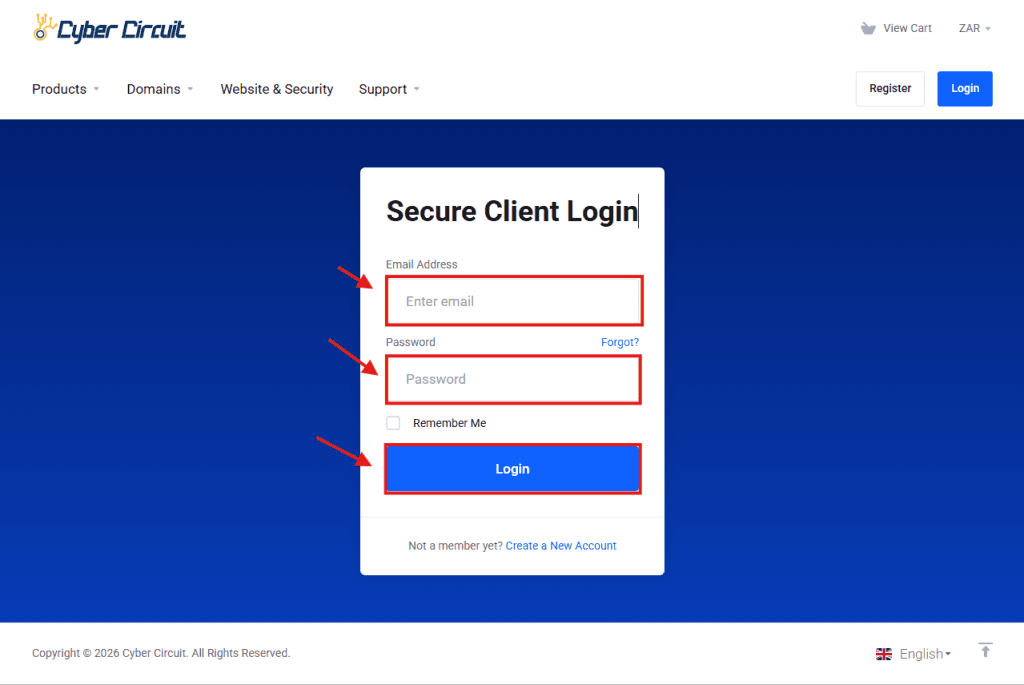
- You will see two fields: Email Address and Password.
- Enter the email address you used to sign up for hosting.
- Enter your password.
- Click the Login button.
⚠️ Make sure there are no extra spaces before or after your email or password.
Step 3: Troubleshooting Login Issues
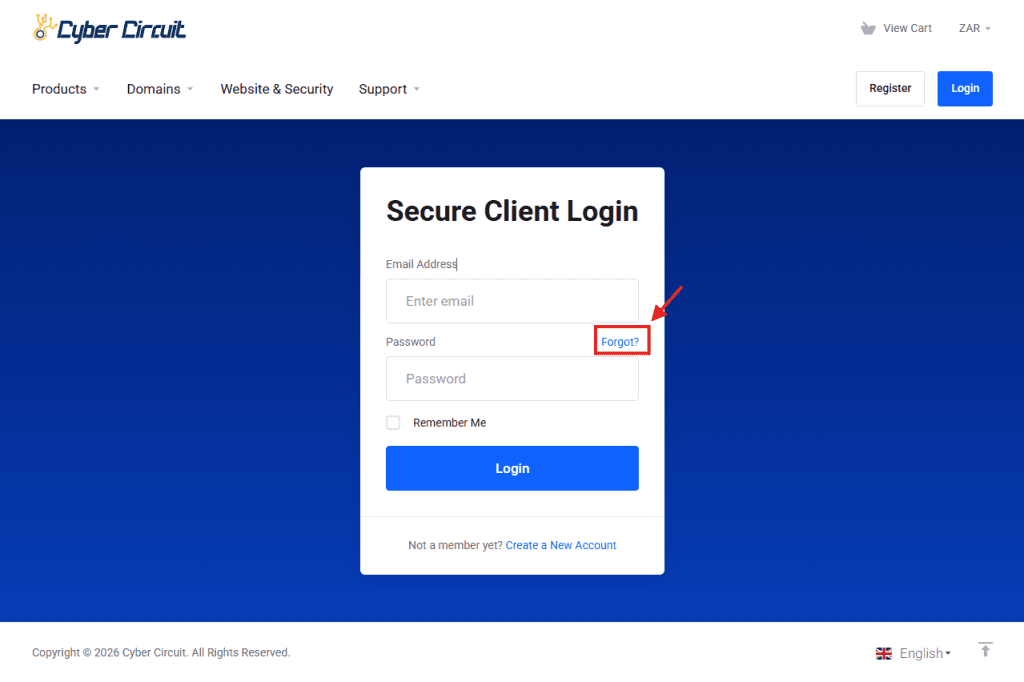
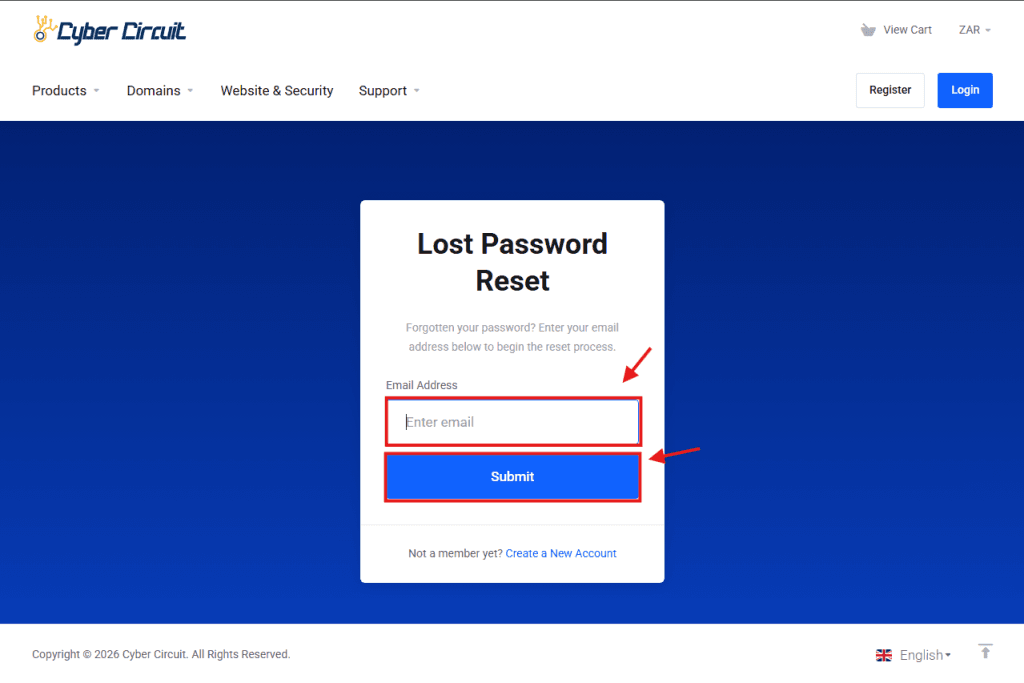
1. Forgot Your Password?
- Click Forgot? On top of the Password field
- Enter your email address.
- Check your email for a password reset link.
- Follow the instructions to create a new password.
Step 4: What You Can Do in the Client Area
Once logged in, you can:
View and pay your invoices
Access your Plugin Vault and download plugins and themes included with your package
Open and manage support tickets
Upgrade your hosting package at any time
Manage your domains
Log in to cPanel to manage your hosting
Use our AI Assistant for help with:
Email account creation and password resets
Domain transfers and setup
Invoices and billing queries
cPanel login details
SSL checks and setup
✅ You’re all set!
Now you can access your hosting account and start managing your website with ease.