
With Cyber Circuit hosting, you can create professional email addresses (for example: info@yourdomain.co.za) directly from cPanel. No technical knowledge is required.
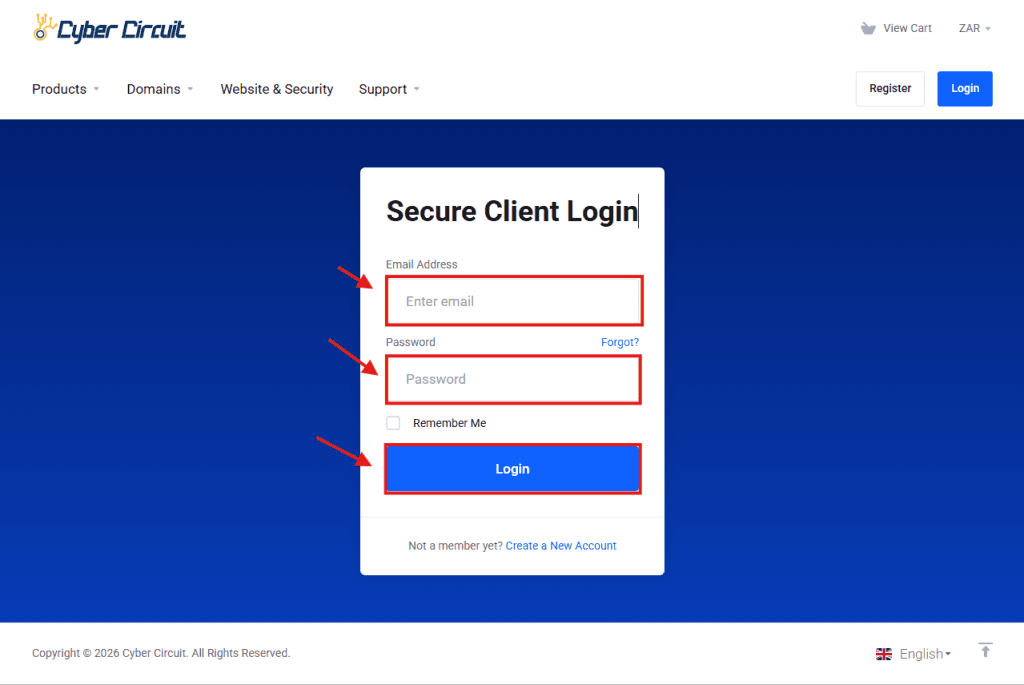
Step 1: Log Into Your Client Area
- Go to the Cyber Circuit Client Area (https://cybercircuit.co.za/billing/).
- Log in using your email address and password.
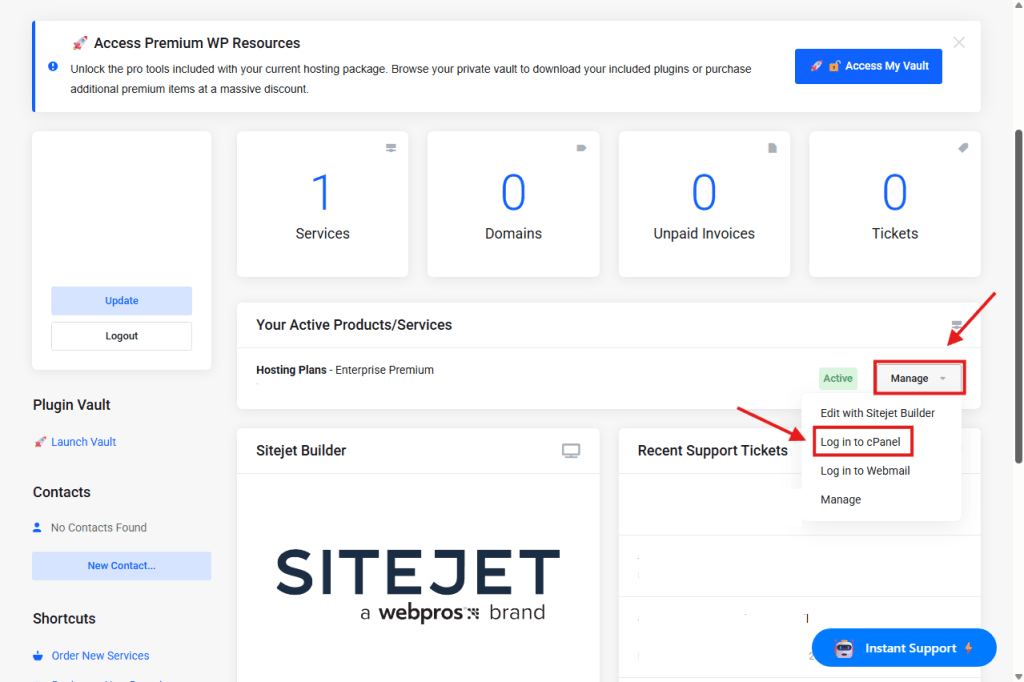
Step 2: Log Into cPanel
- From your Client Area dashboard, go to Your Active Products/Services.
- Click the Manage dropdown next to your hosting package.
- Select Login to cPanel.
You will be logged into cPanel automatically.
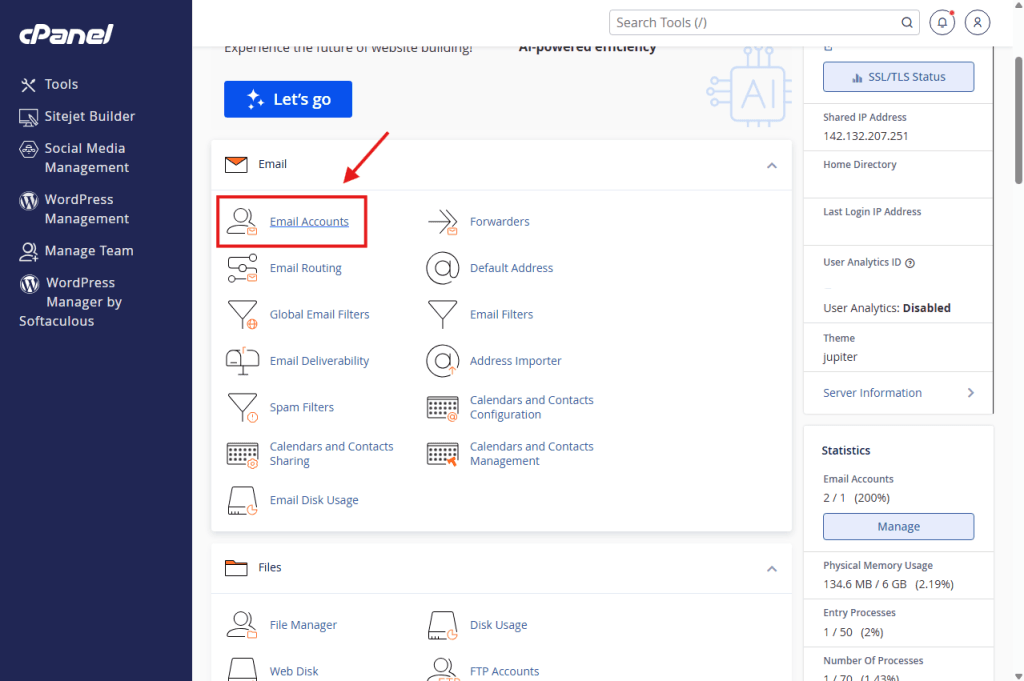
Step 3: Open Email Accounts
- Once inside cPanel, scroll to the Email section.
- Click on Email Accounts.
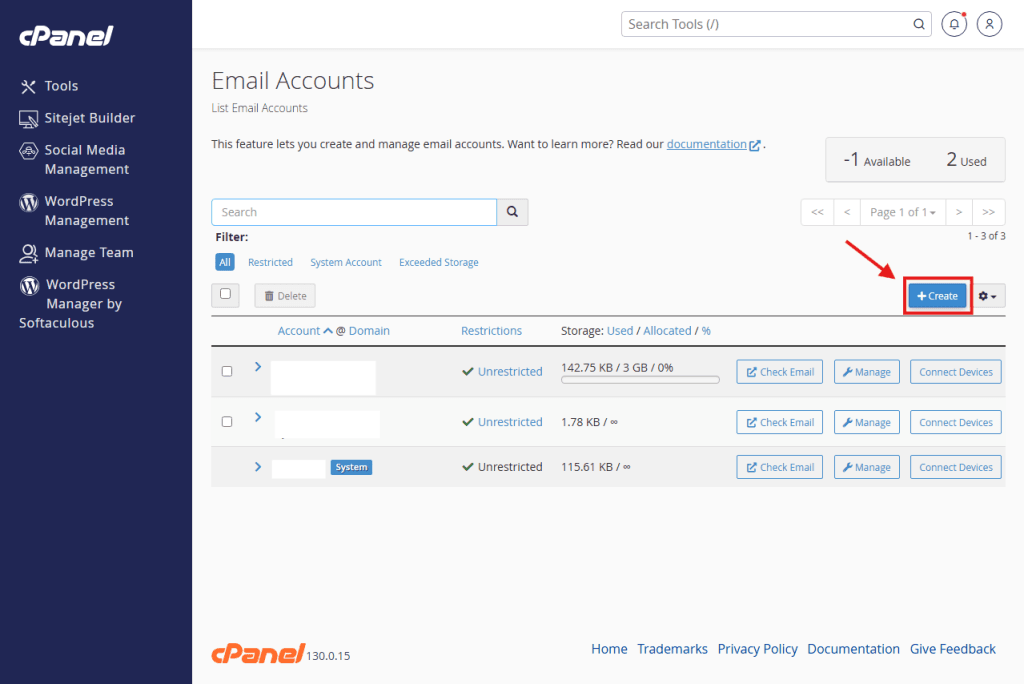
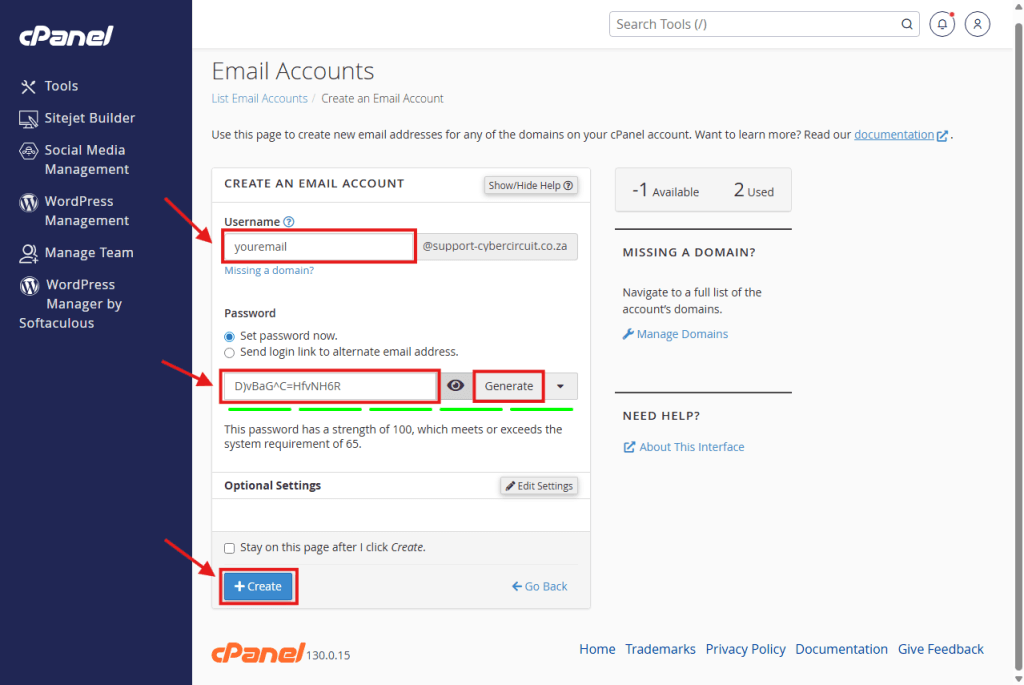
Step 4: Create a New Email Account
- Click the Create button.
- Enter the email address name (e.g. info).
- Select your domain from the dropdown.
- Create a strong password or use the Generate button.
- Click Create.
Step 5: Access Your Email
After creating the email account, you can:
- Access email via Webmail
- Set it up on BlueMail or you’re preferred mail app.
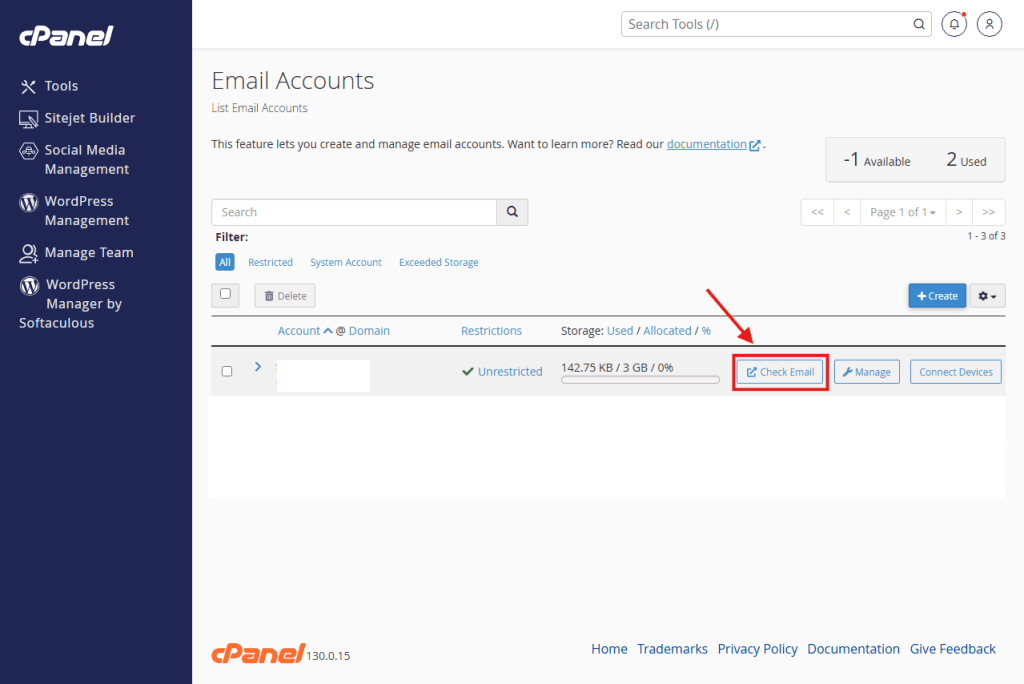
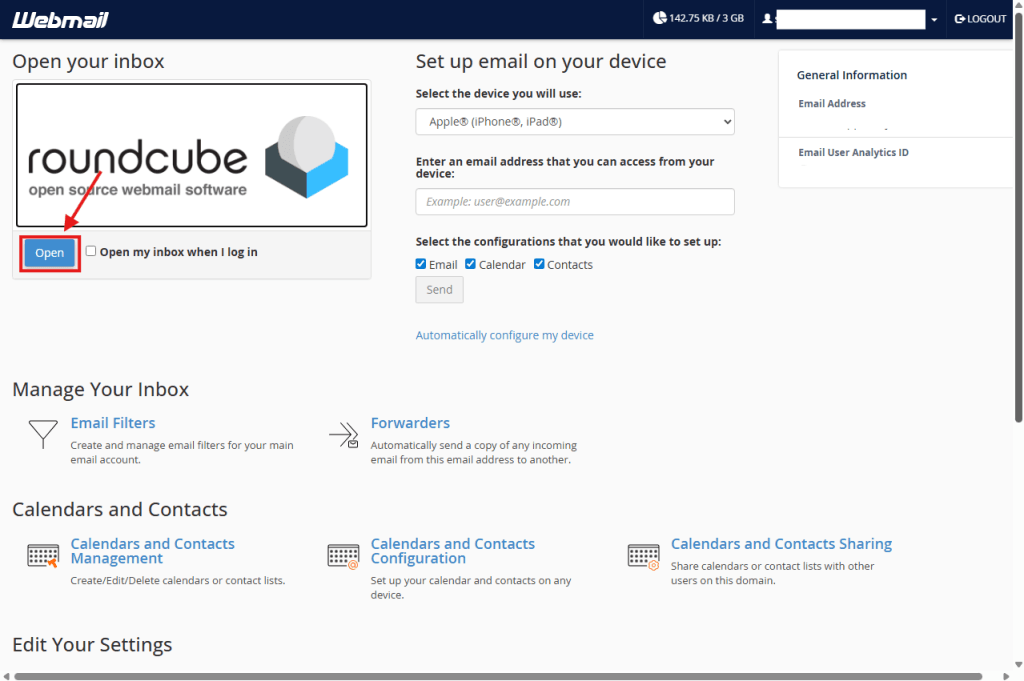
Click Check Email next to the account and click the blue open button.
✅ You’re all set!
Your email account is now ready to use.