
Webmail allows you to access your email directly from your browser without using Outlook, Gmail, or any other app.
Step 1: Log Into Your Client Area
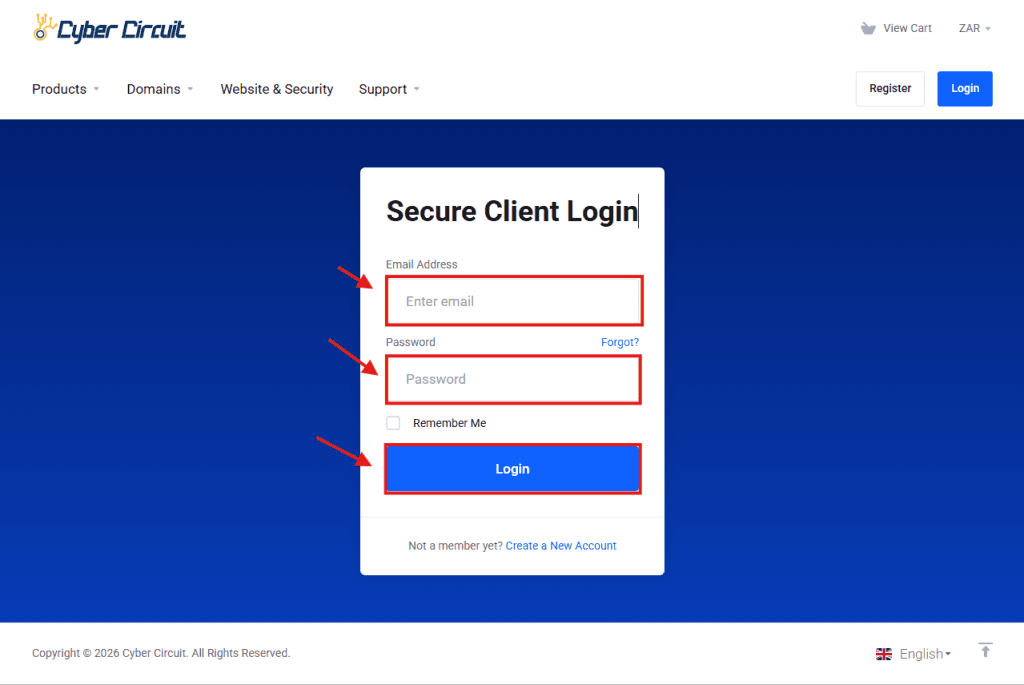
- Go to the Cyber Circuit Client Area.
- Log in using your email address and password.
Step 2: Log Into cPanel
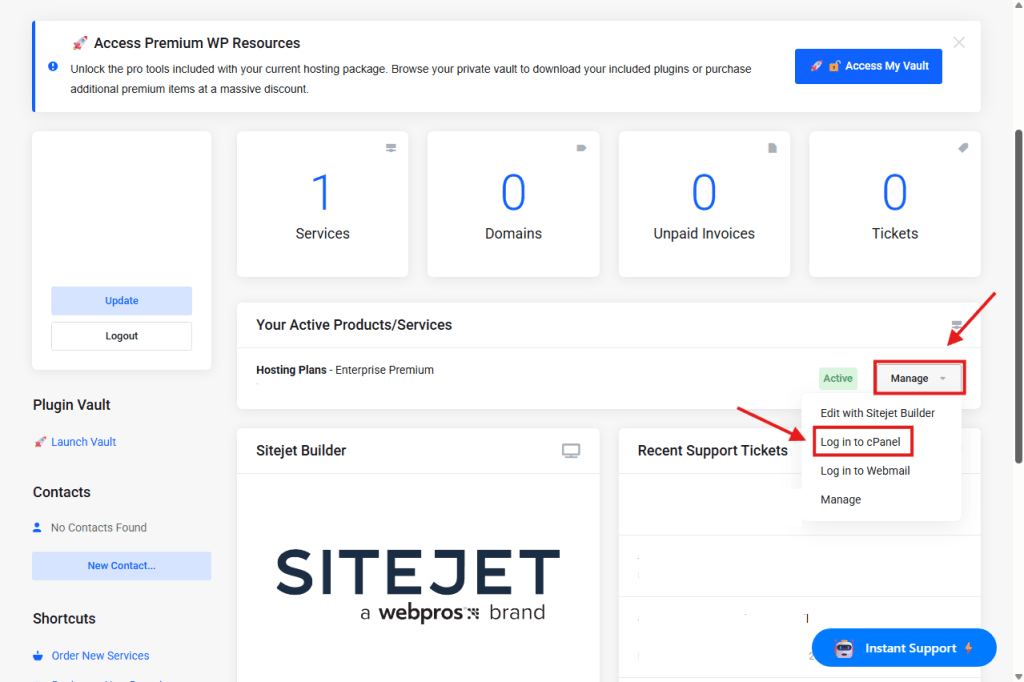
- Under Your Active Products/Services, click Manage.
- Select Login to cPanel.
Step 3: Open Email Accounts
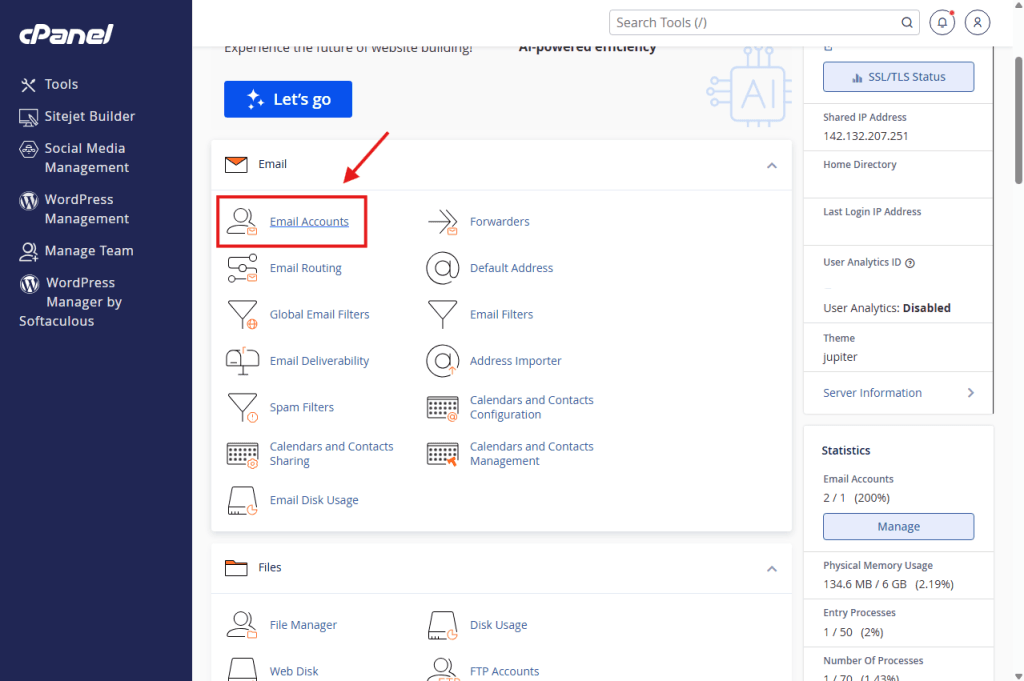
- In cPanel, scroll to the Email section.
- Click Email Accounts.
Step 4: Access Webmail
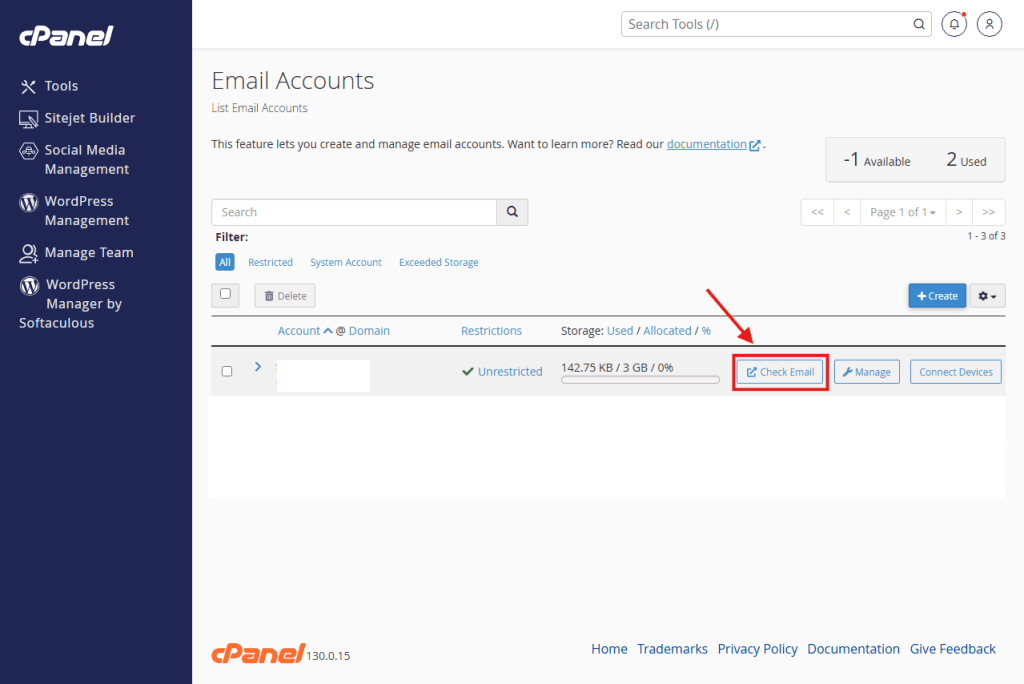
- Find the email address you want to access.
- Click Check Email next to the email account.
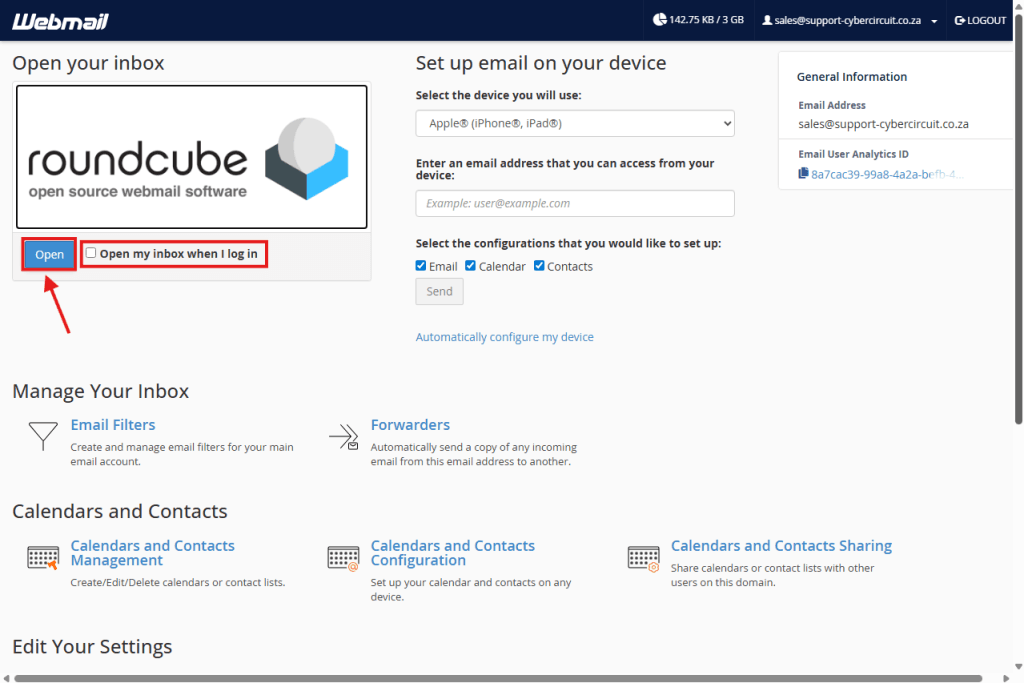
Step 5: Access Your Inbox
Locate the Roundcube section at the top left of the page. Click the blue Open button to enter your email inbox.
Pro-Tip: If you want to skip this screen and go directly to your emails next time you log in, check the box labeled Open my inbox when I log in before clicking Open.
✅ That’s it!
You now know how to access your email using webmail.