Is your WordPress dashboard telling you to update PHP? Or is a plugin giving an error? Here is how to switch your PHP version instantly.
Cyber Circuit servers run CloudLinux, which allows you to choose the exact PHP version your website needs (e.g., PHP 7.4, 8.1, or 8.2).
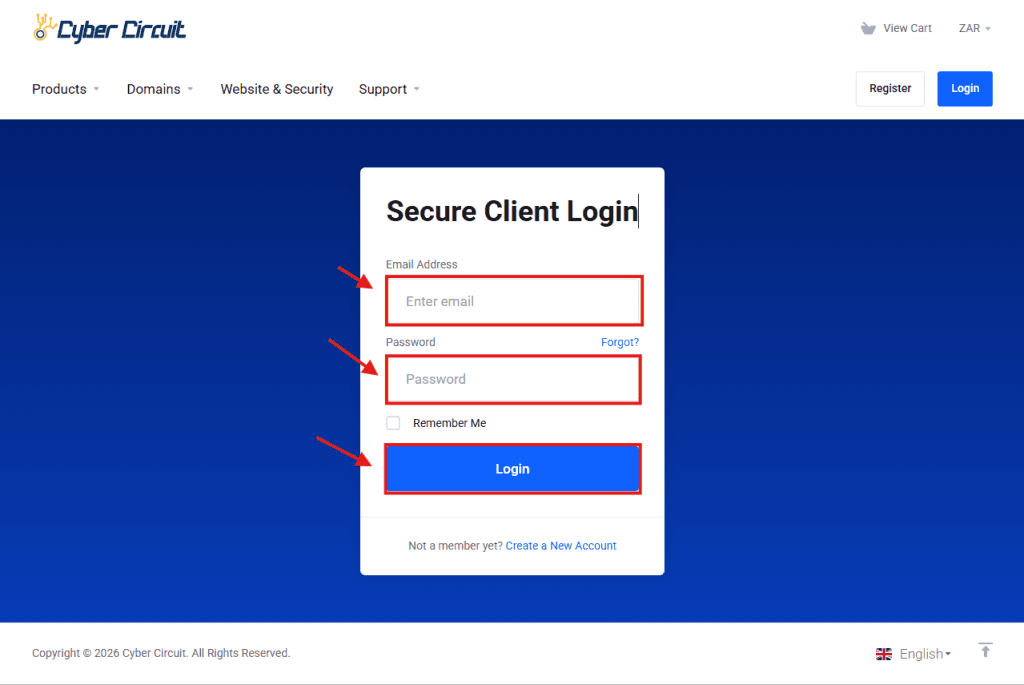
Step 1: Log Into Your Client Area
Go to the Cyber Circuit client area login page (https://cybercircuit.co.za/billing/).
Log in using your email address and password.
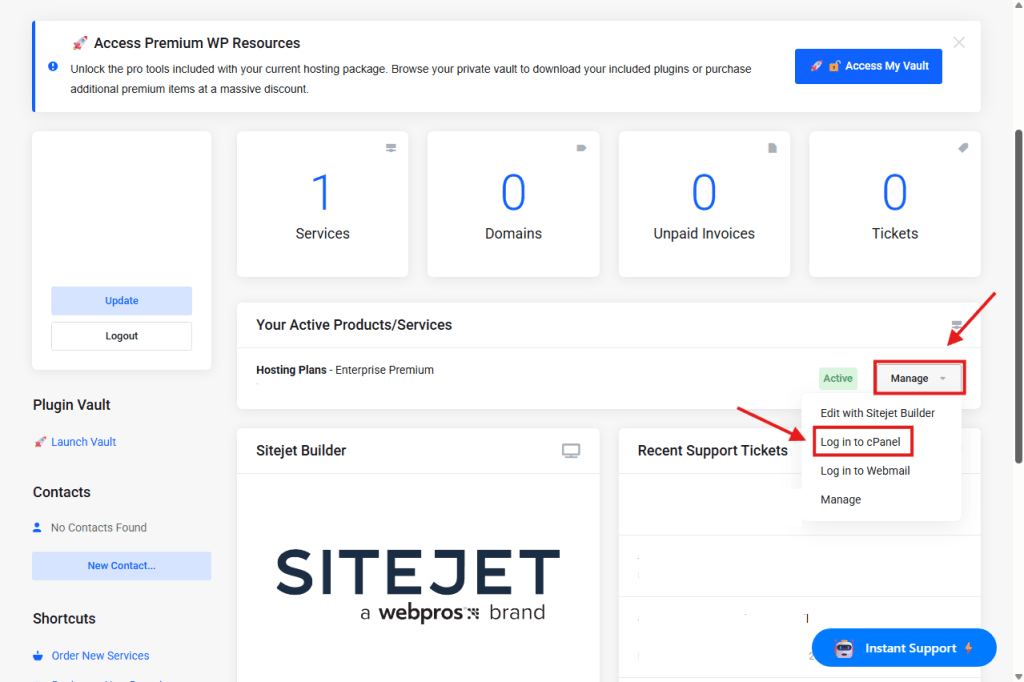
Step 2: Log Into cPanel
From your Client Area Dashboard, look for your active Products/Services.
Click the Manage button (or dropdown).
Select Log in to cPanel.
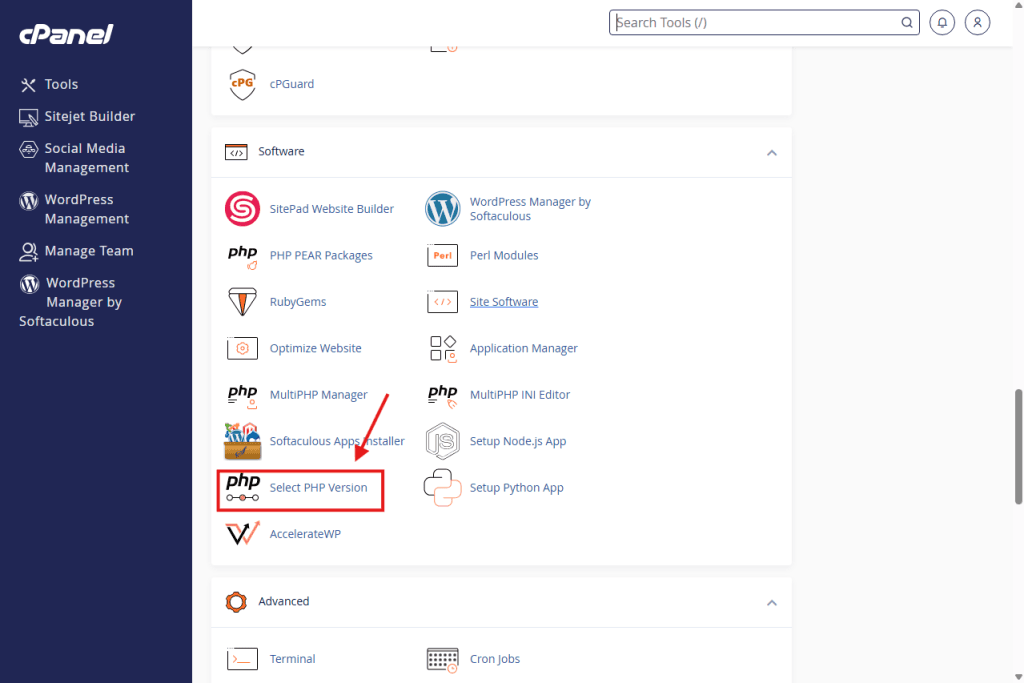
Step 3: Open "Select PHP Version"
In the cPanel dashboard, scroll down to the Software section.
Click on the icon labeled Select PHP Version.
Note: Do not click “MultiPHP Manager” if you see it. “Select PHP Version” is the correct tool for your account.
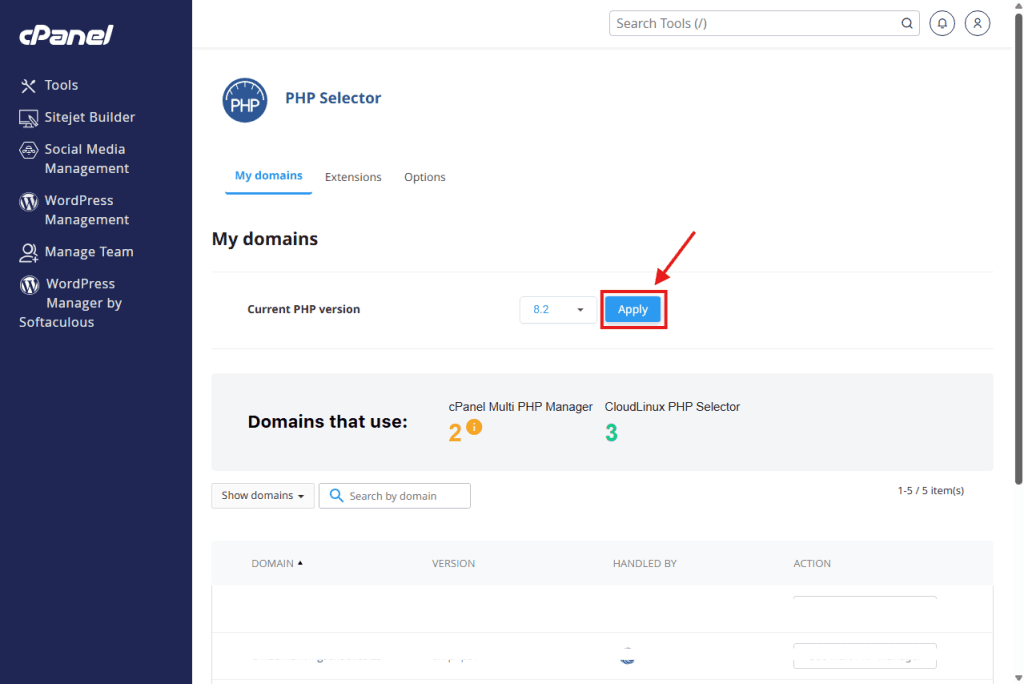
Step 4: Choose Your Version
Look for the text that says Current PHP Version.
Click the dropdown menu next to it.
Select the version you need (e.g., 8.1 is recommended for most modern WordPress sites).
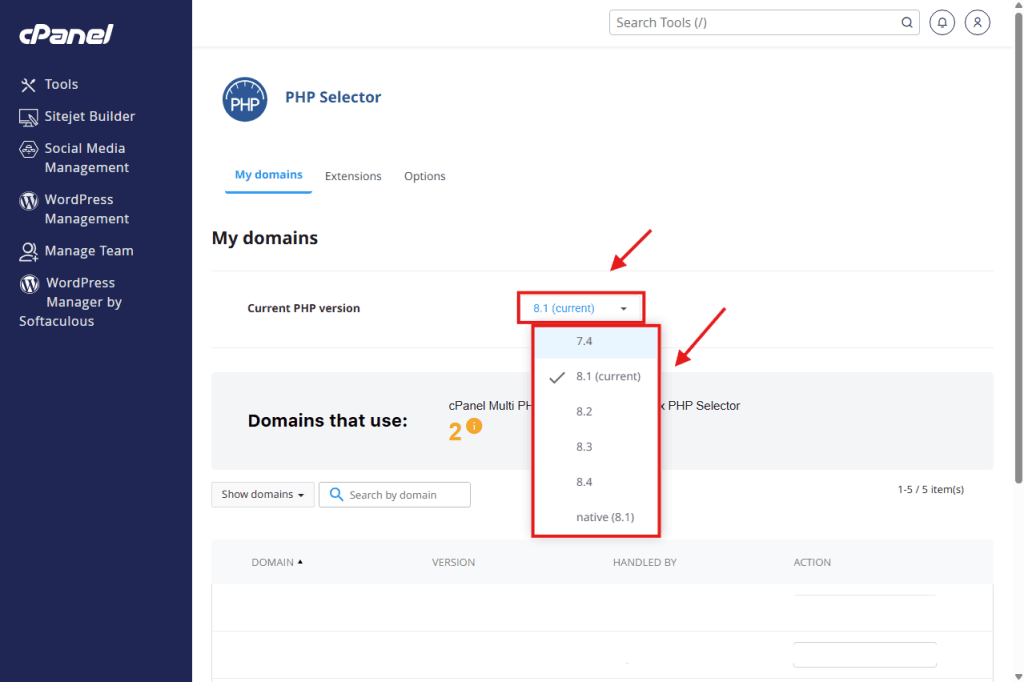
Step 5: Apply the Change
Once you select the version, click the button that says Apply (next to the dropdown).
The system will update immediately.
Done! You can refresh your website to see if the errors are gone.