Did you know your hosting plan might allow you to host multiple domains? Here is how to add a second domain name to your cPanel account.
If you have purchased a new domain name and want to host it on your existing Cyber Circuit account (instead of buying a new hosting plan), you need to add it as a New Domain in cPanel.
Prerequisites
Before you start, ensure you have:
Registered the new domain name.
Updated the Nameservers to point to Cyber Circuit (see our “How to Point Your Domain to Cyber Circuit” guide).
Step 1: Log Into Your Client Area
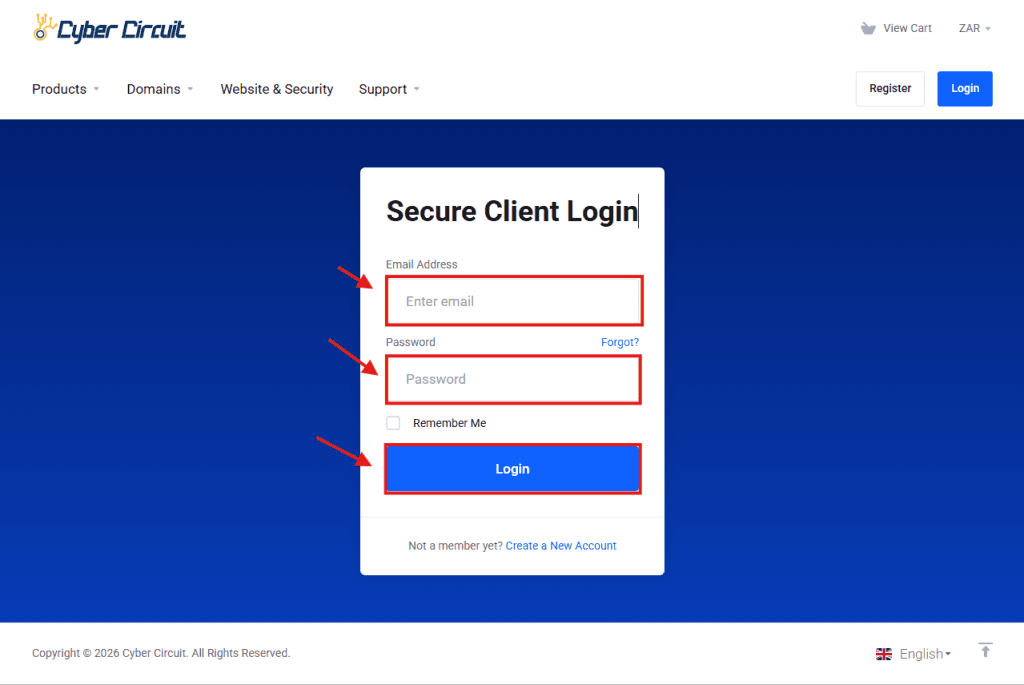
Go to the Cyber Circuit client area login page (https://cybercircuit.co.za/billing/).
Log in using your email address and password.
Step 2: Log Into cPanel
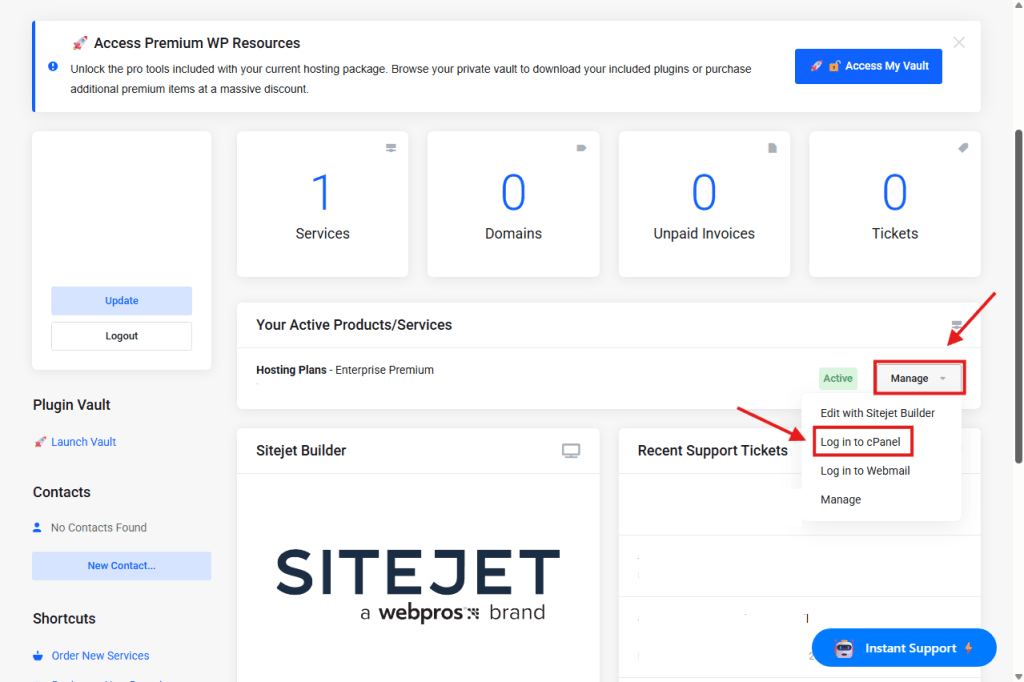
From your Client Area Dashboard, look for your active Products/Services.
Click the Manage button (or dropdown).
Select Log in to cPanel.
Step 3: Open the "Domains" Manager
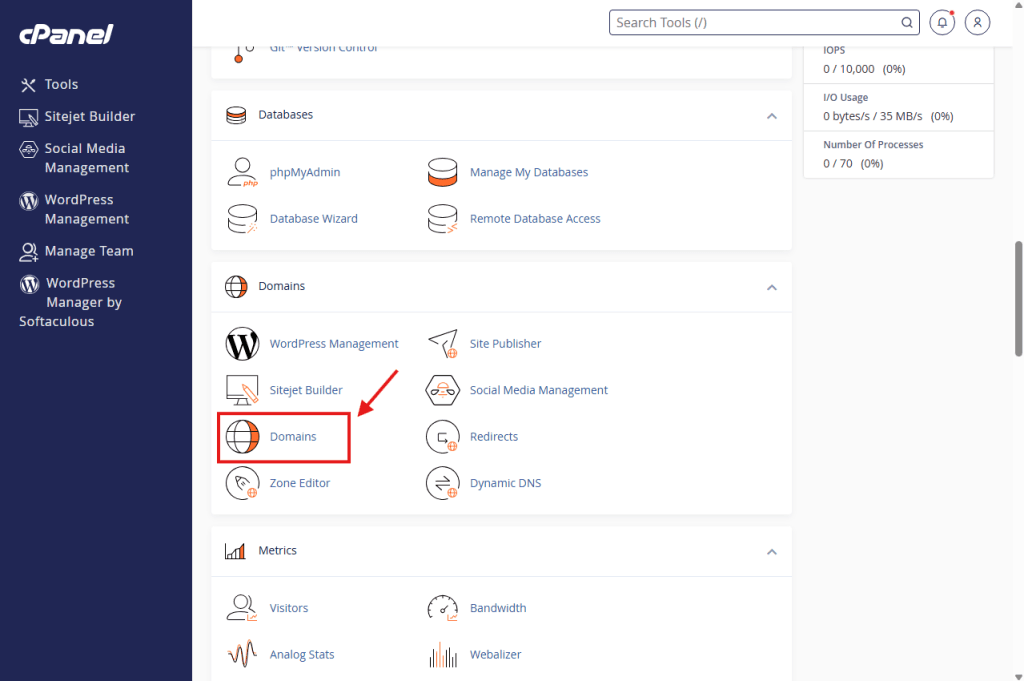
Scroll down to the Domains section.
Click on the Domains icon.
Step 4: Click Create New Domain
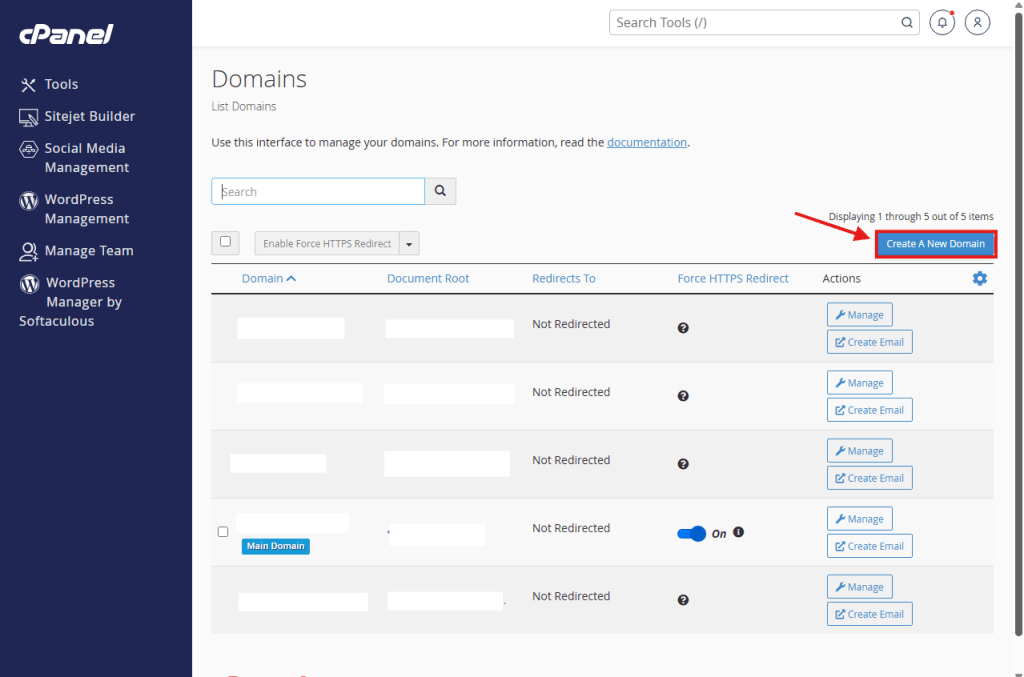
You will see a list of your current domains.
Click the blue button on the right labeled Create A New Domain.
Step 5: Enter Your New Domain Name
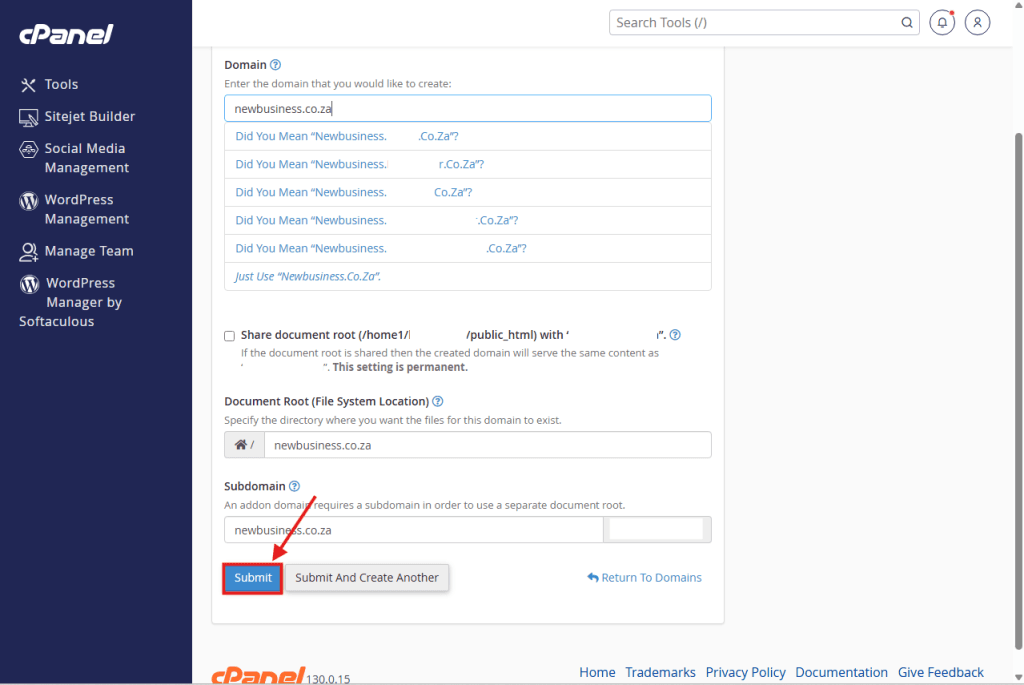
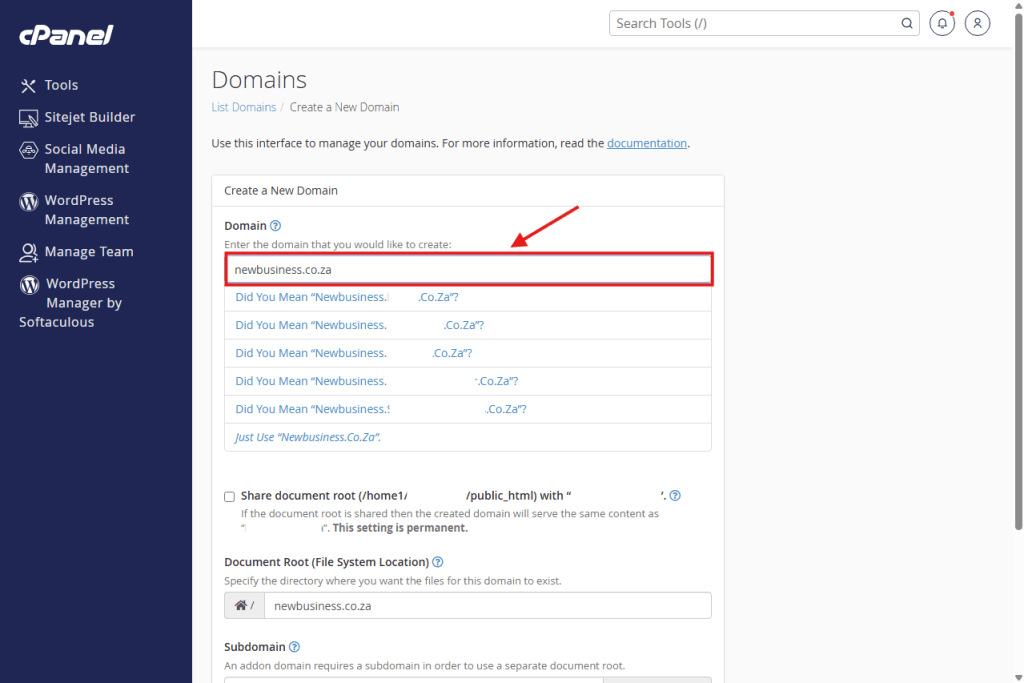
Domain: Type the name of your new domain (e.g., newbusiness.co.za).
Important: Do not type “www” or “http”. Just the domain name.
Leave everything else as is. The system will automatically set up the correct folder for you.
Step 6: Submit
Click the Submit button.
It may take a moment to load. Once finished, your new domain is active!
You can now create email accounts or install WordPress for this specific domain.