
If your website shows a white screen with a list of files titled “Index of /”, it means your website files are in the wrong place or named incorrectly. Here is how to fix it.
When you visit your website, the server looks for a specific file to load, usually named index.php or index.html. If it can’t find that file in your main folder, it just shows a list of whatever is there. This is called the “Index of /” error.
The Most Common Causes
The “Folder in a Folder” Mistake: You extracted a zip file, and it created a sub-folder (e.g., your files are in public_html/my-site/ instead of just public_html/).
Wrong File Name: Your main file is named home.html or Index.php (with a capital ‘I’). It must be lowercase index.
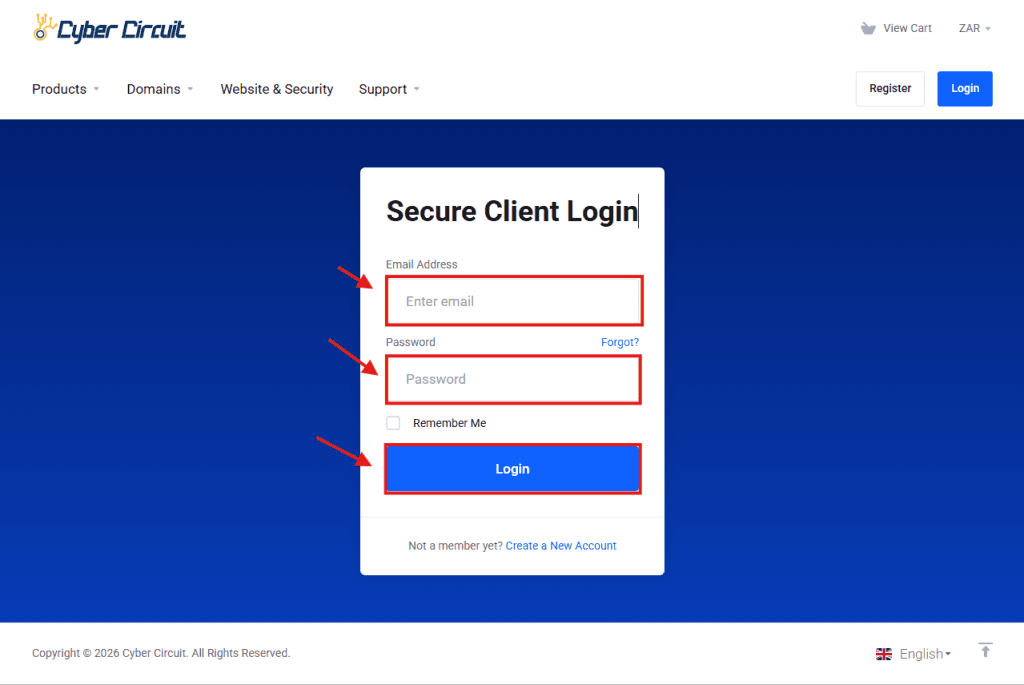
Step 1: Log Into Your Client Area
Go to the Cyber Circuit client area login page (https://cybercircuit.co.za/billing/).
Log in using your email address and password.
Step 2: Log Into cPanel
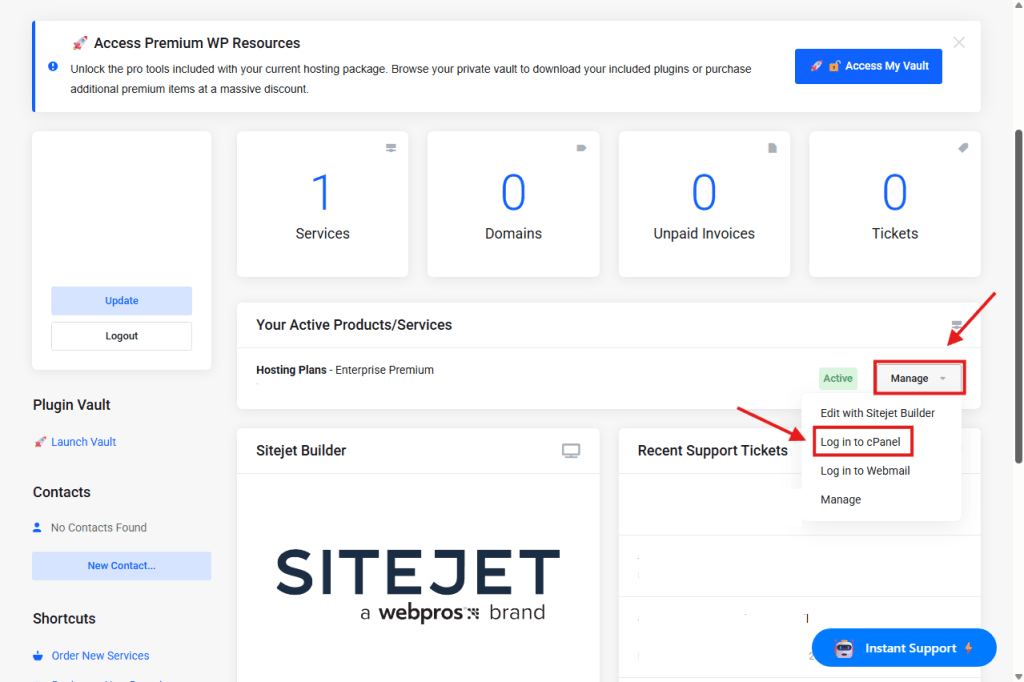
From your Client Area Dashboard, look for your active Products/Services.
Click the Manage button (or dropdown).
Select Log in to cPanel.
Step 3: Open the File Manager
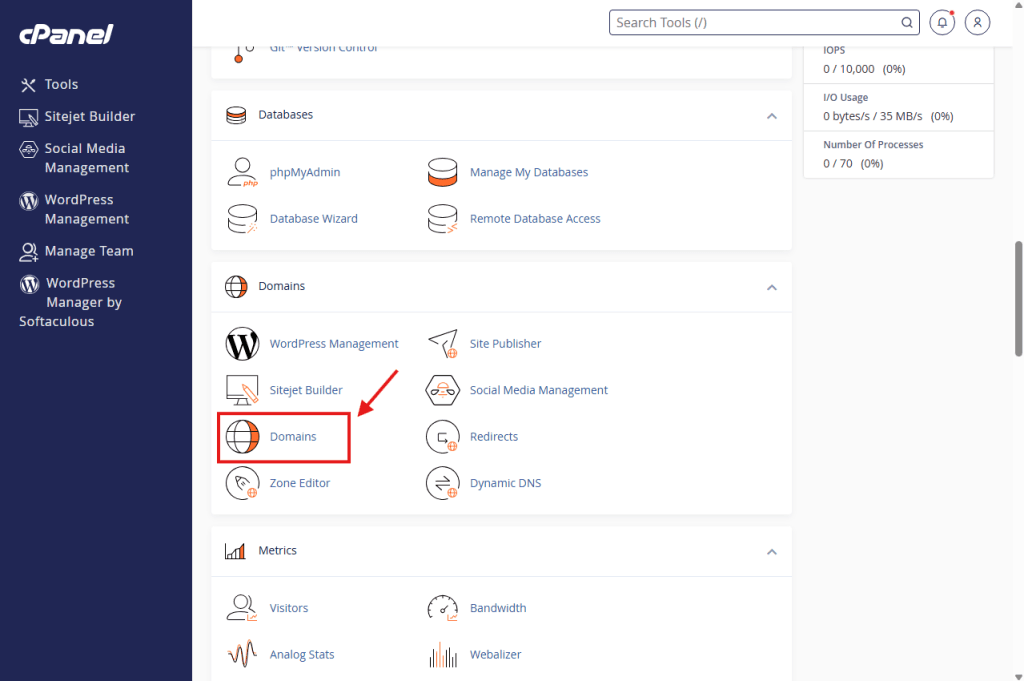
Scroll down to the Domains section and click on Domains.
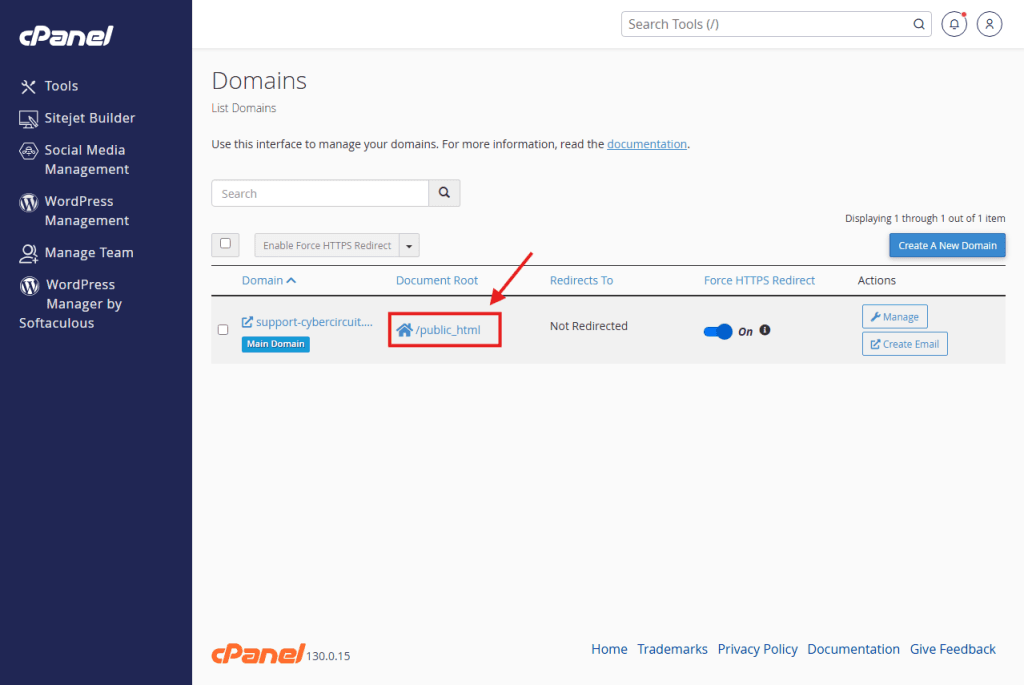
Click the link in the Document Root column for your website (e.g., /public_html).
This opens the File Manager directly in the folder where your website SHOULD be.
Step 4: Check for a "Hidden" Subfolder
Look at the files in this folder.
Do you see index.php or index.html?
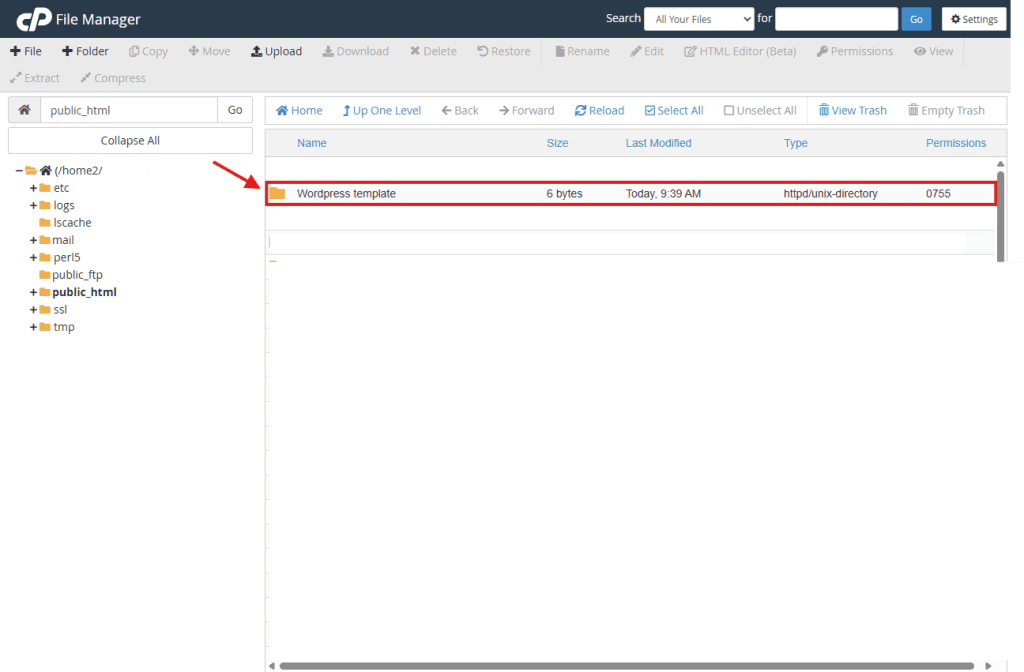
No? Then look for a folder with your website’s name (e.g., wordpress or template).
Yes? If you see a folder, click to open it. If your website files are inside that folder, we need to move them out.
Step 5: Move Your Files (The Fix)
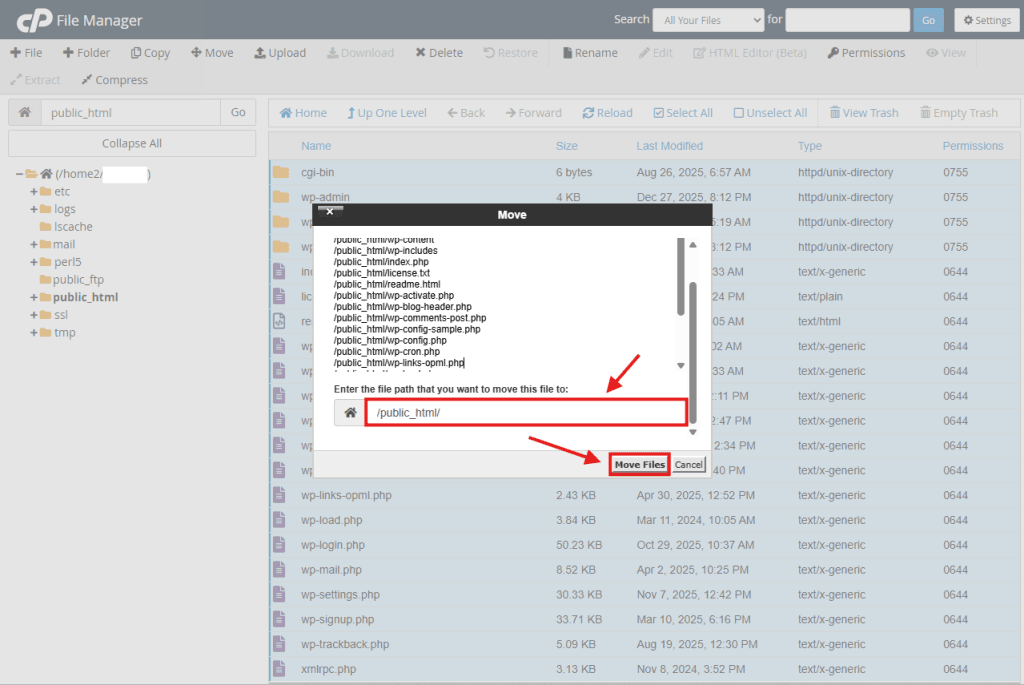
If your files were inside a subfolder, follow these steps to move them to the main folder:
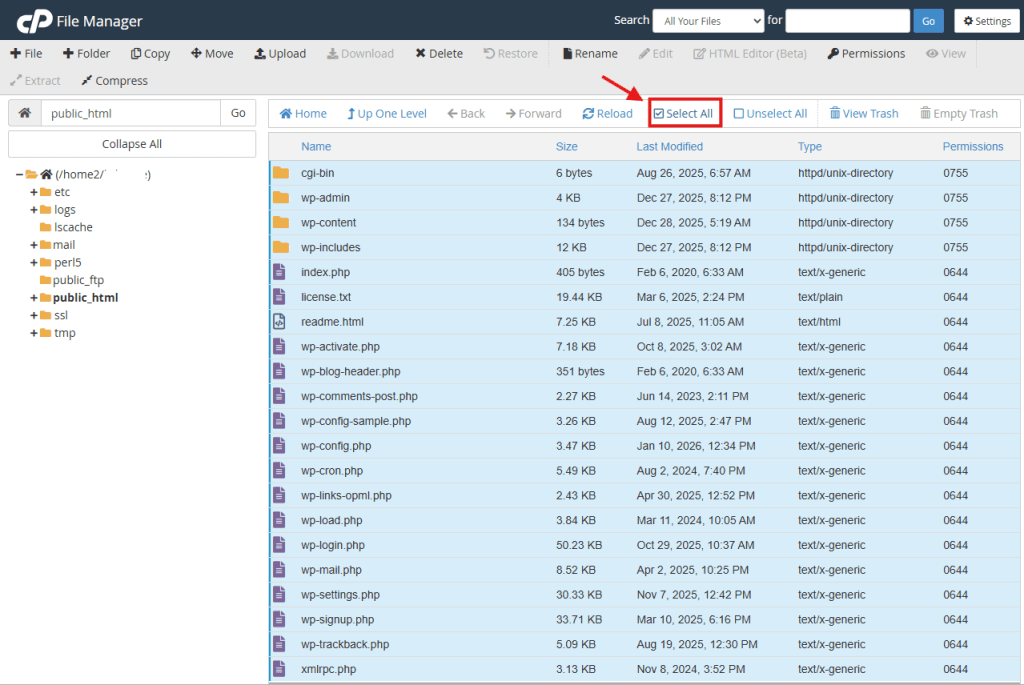
Go inside the subfolder where the files are.
Click the Select All button at the top.
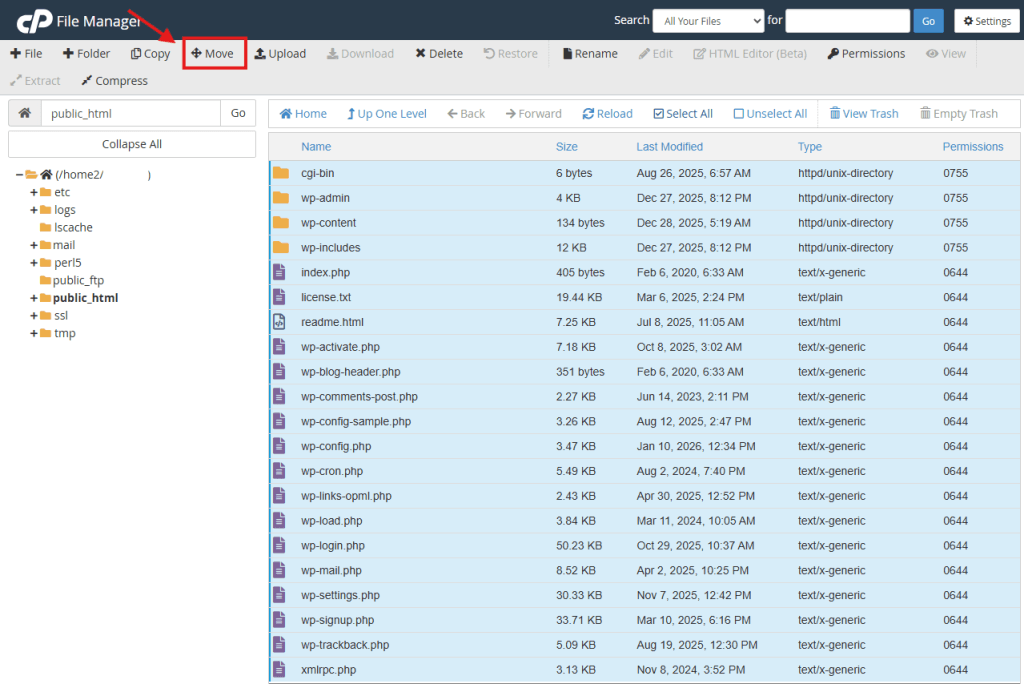
Click the Move button.
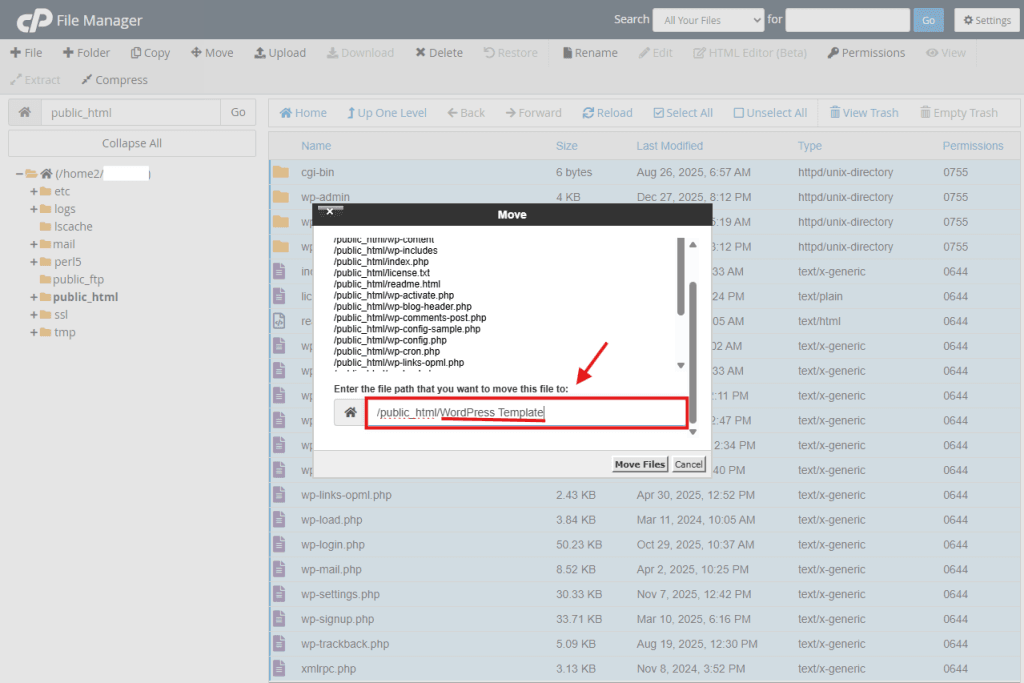
A pop-up will ask for the file path. Delete the folder name from the end of the path.
Example: Change /public_html/my-folder/ to just /public_html/.
Click Move Files.
Go back up one level. Your files are now in the right place!
Step 6: Check Your File Name
If your files were already in the right place, check the name of your main file.
Look for your home page file.
Is it named Index.php or Index.html with a capital I?
Linux servers are case-sensitive. You must rename it to lowercase index.php.
Is it named home.html?
Rename it to index.html.
Summary:
Once you have an index.php or index.html file sitting directly inside your Document Root folder, reload your website. The “Index of /” error should be gone!