Ready to add a new client? Here is how to create a hosting account for them using the packages you created.
Once you have set up a Hosting Package (e.g., Bronze, Silver, Gold), you can create individual cPanel accounts for your customers.
Step 1: Log Into Your Client Area
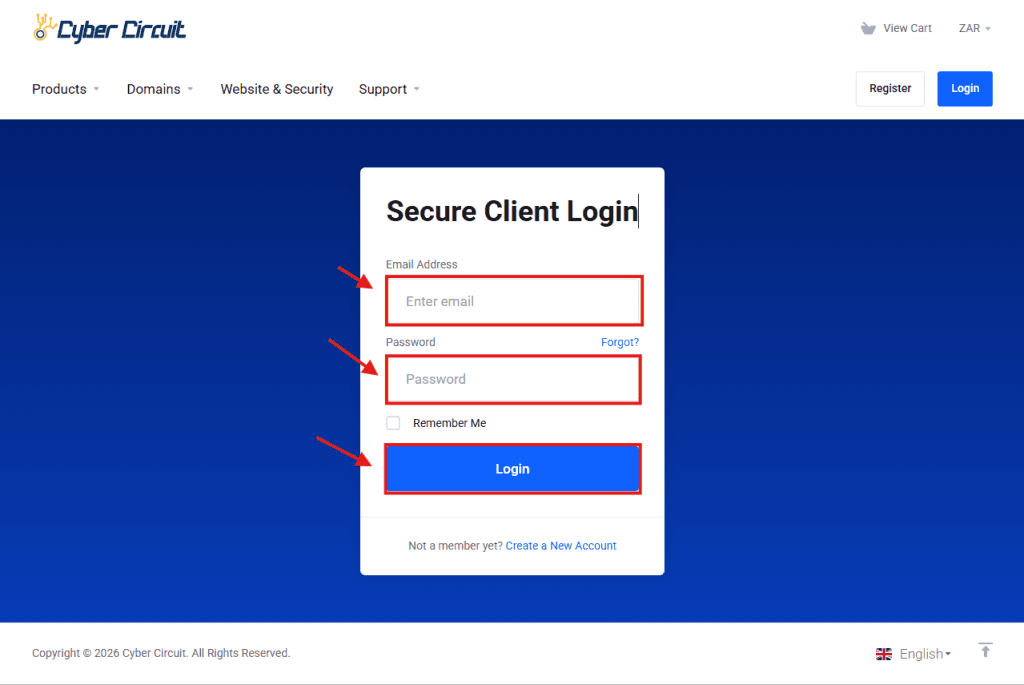
Go to the Cyber Circuit client area login page.
Log in using your email address and password.
Step 2: Log Into WHM
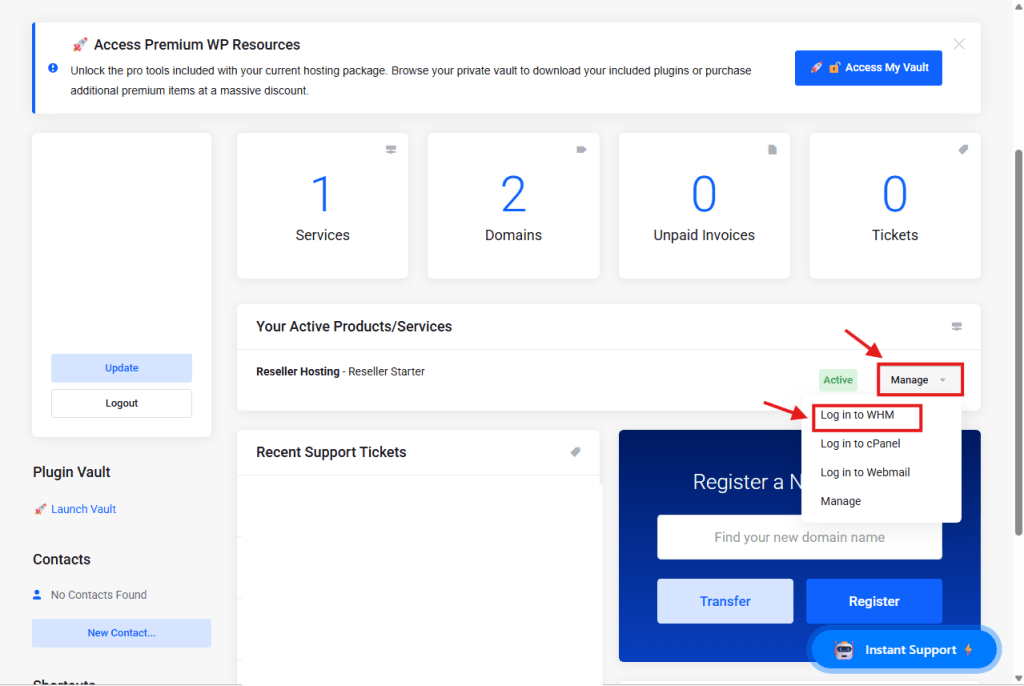
From your Client Area Dashboard, look for your active Reseller Service.
Click the Manage button (or dropdown).
Select Log in to WHM.
Step 3: Open "Create a New Account"
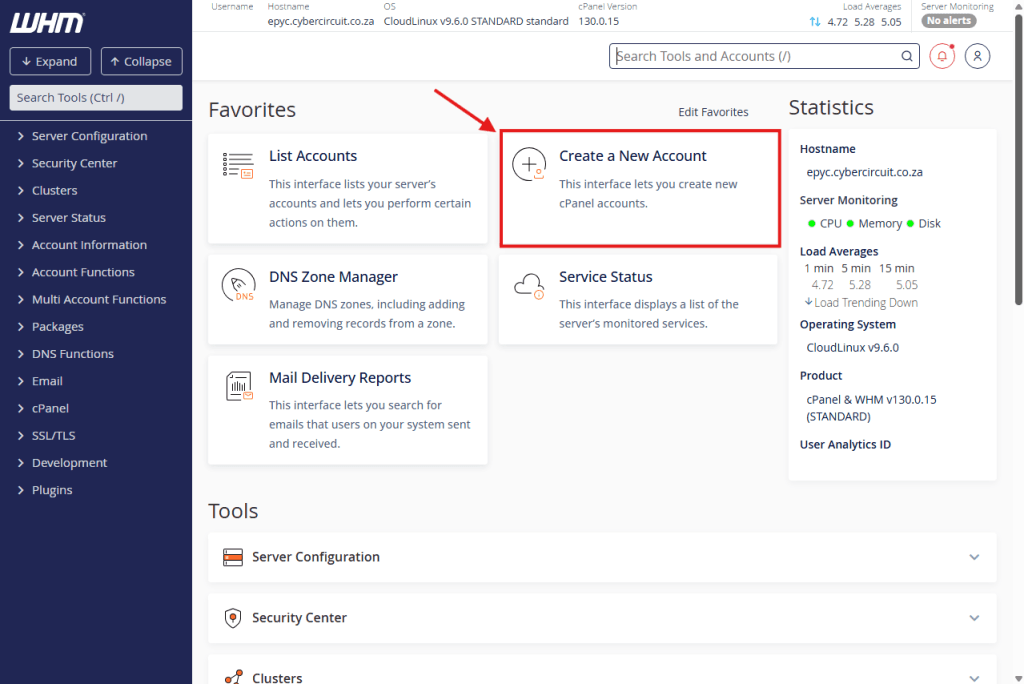
On the main WHM Dashboard, look for the Favorites section at the top.
Click on the tile labeled Create a New Account.
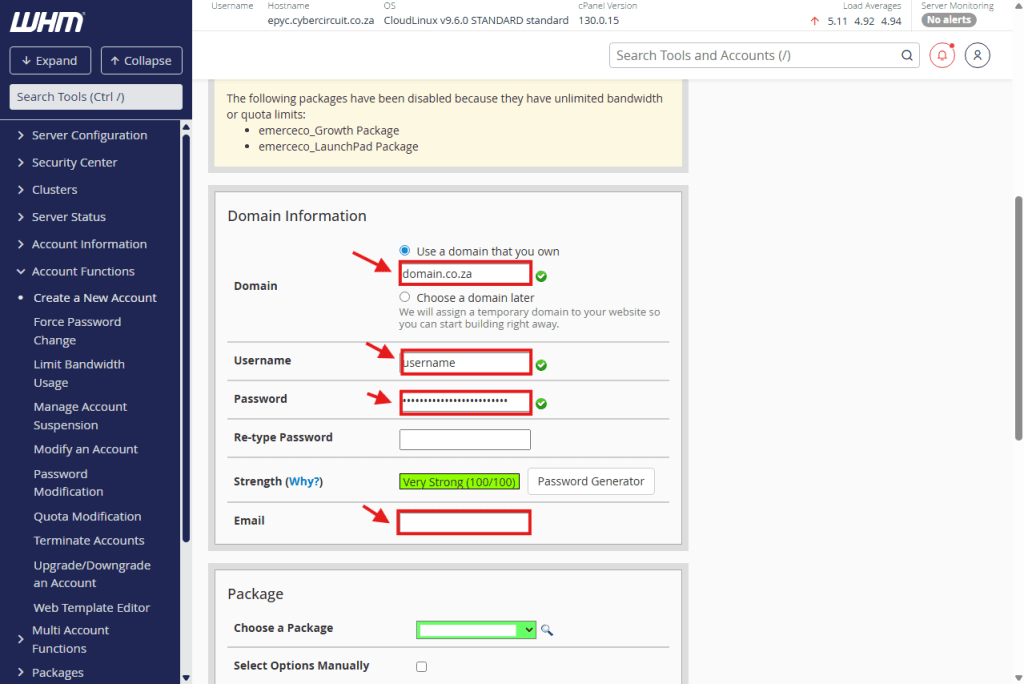
Step 4: Enter Domain Details
Fill in the client’s basic information:
Domain: Enter the website name (e.g., clientsite.co.za). Do not include “www” or “http”.
Username: Click inside this box, and WHM will automatically create a username for you. You can change it, but it must be short (max 8-16 characters).
Password: Create a strong password (or use the Password Generator).
Email: Enter the client’s email address so they receive notifications.
Step 5: Choose a Package
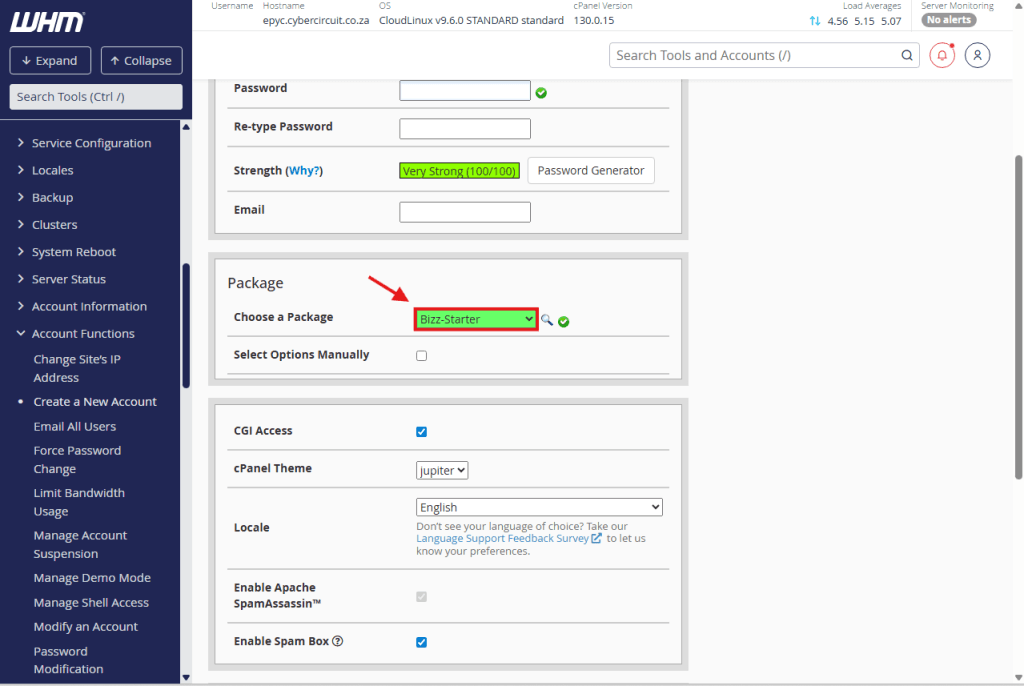
⚠️ This is the most important step!
Scroll down to the Package section.
Click the dropdown menu labeled Choose a Package.
Select one of the plans you created earlier (e.g., Starter_Plan).
Note: If this list is empty, you haven’t created a package yet. Please view our guide on How to Create a Hosting Package.
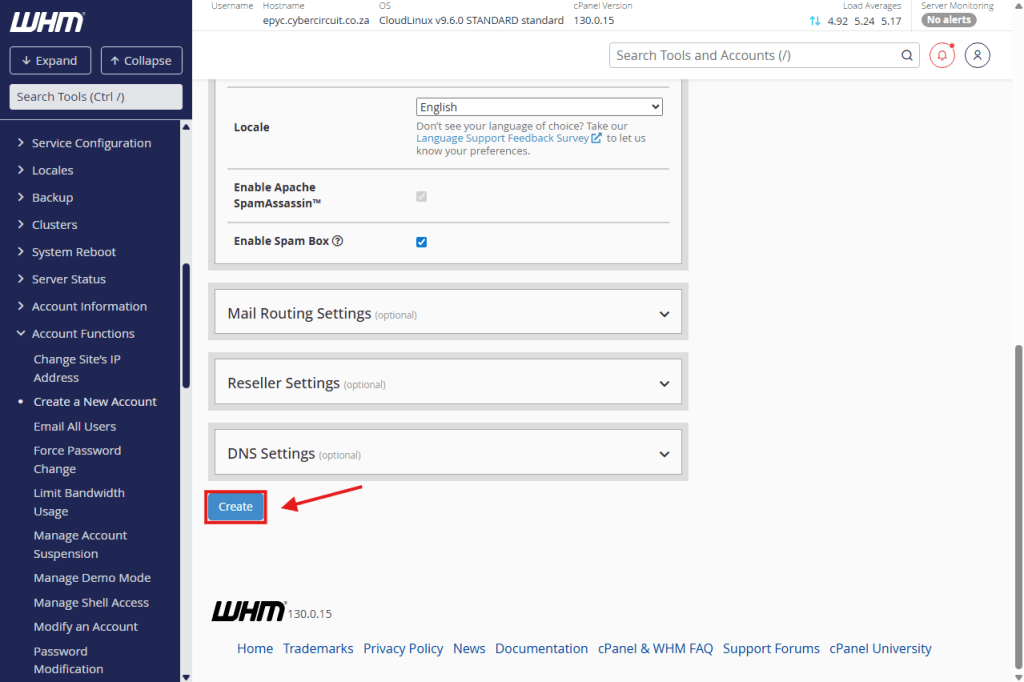
Step 6: Click Create
Scroll to the very bottom of the page.
Click the Create button.