
If you forget your email password or think it may be compromised, you can reset it easily from cPanel. This does not affect your website or other email accounts.
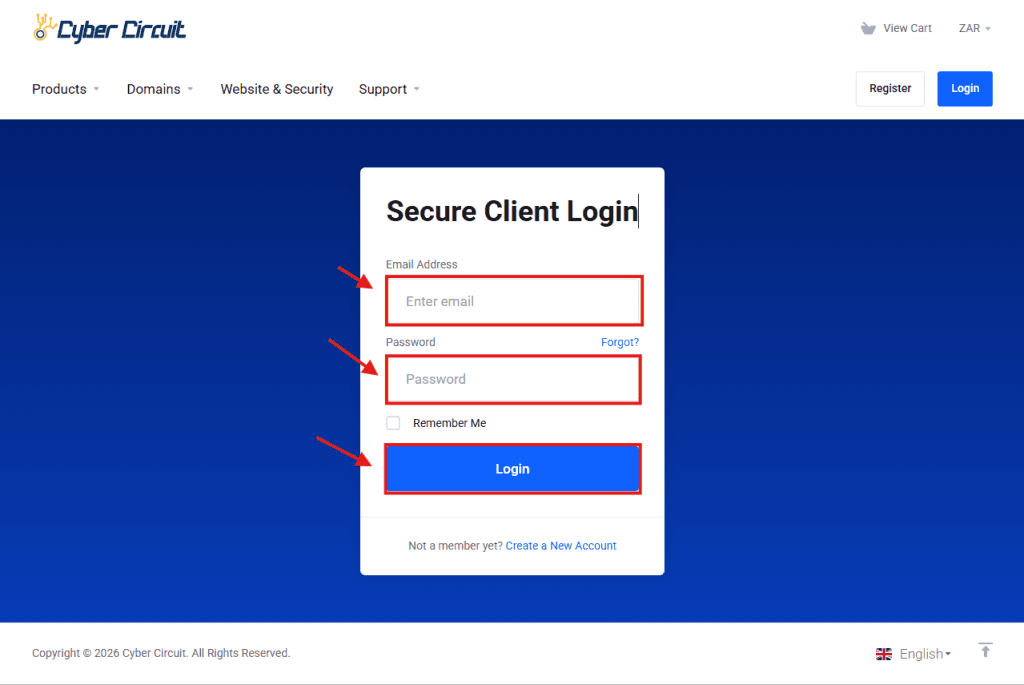
Step 1: Log Into Your Client Area
Go to the Cyber Circuit Client Area.
Log in using your email address and password.
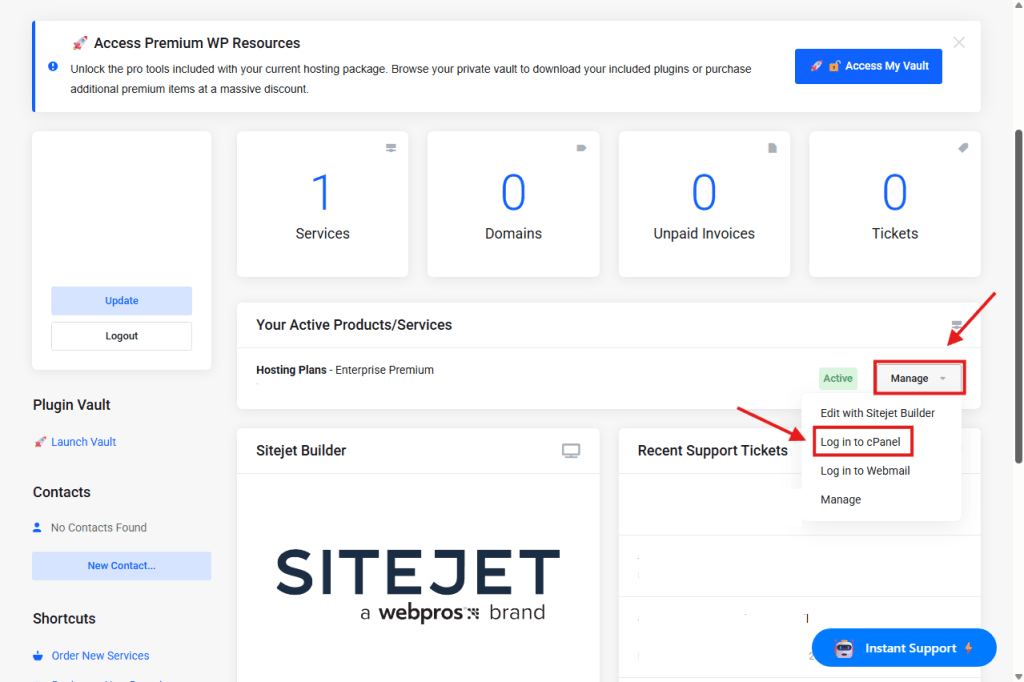
Step 2: Log Into cPanel
- In your Client Area, go to Your Active Products/Services.
- Click the Manage dropdown next to your hosting service.
- Select Login to cPanel.
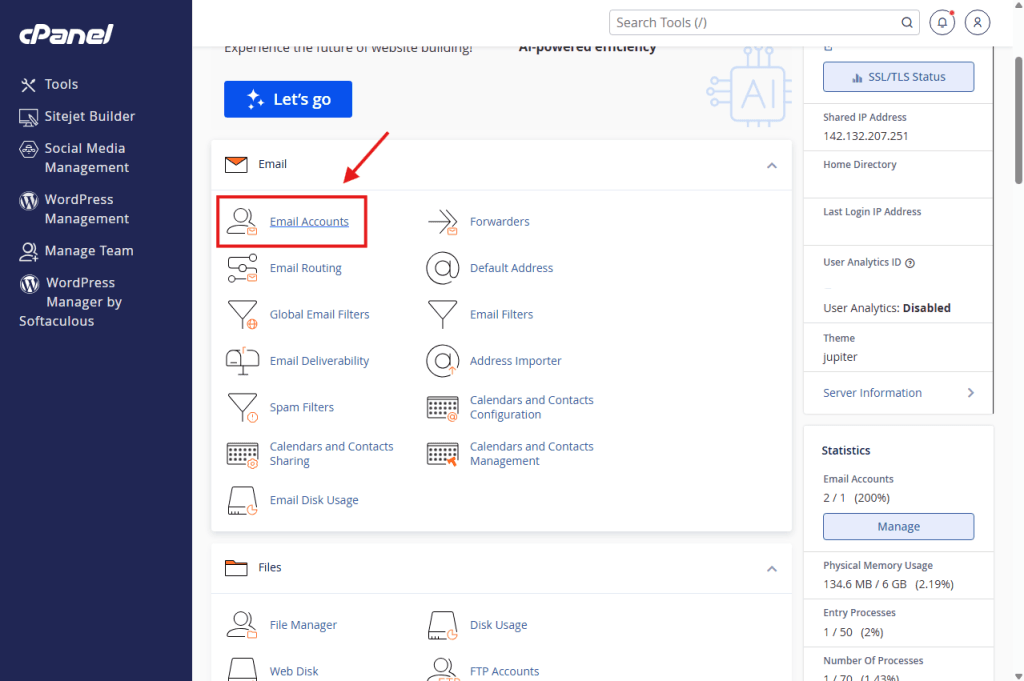
Step 3: Open Email Accounts
- In cPanel, go to the Email section.
- Click Email Accounts.
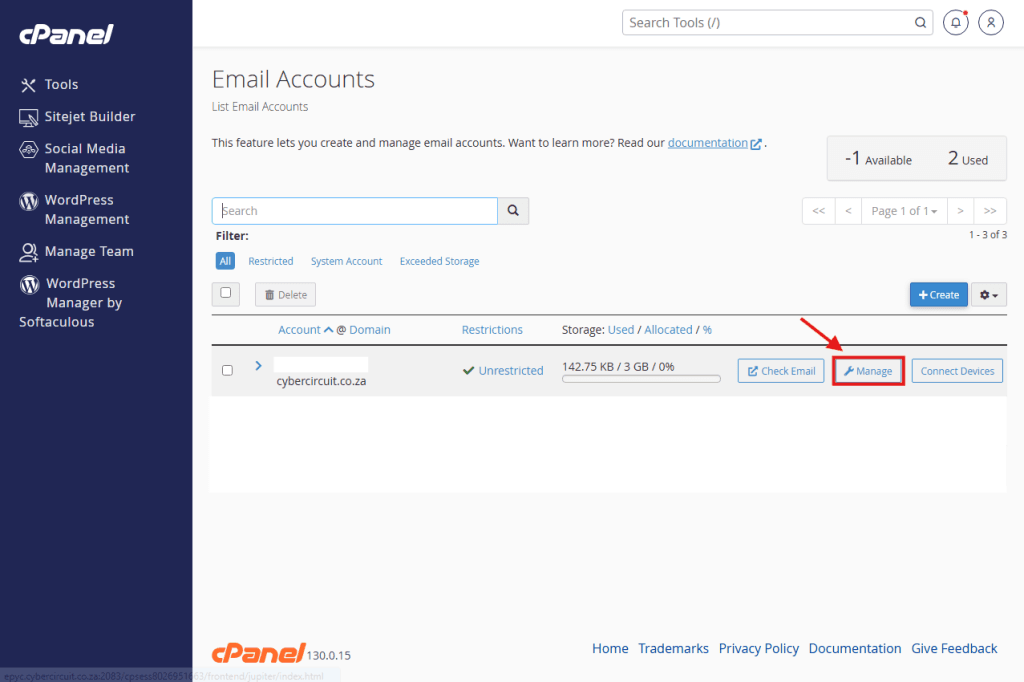
Step 4: Reset the Email Password
- Find the email account you want to reset.
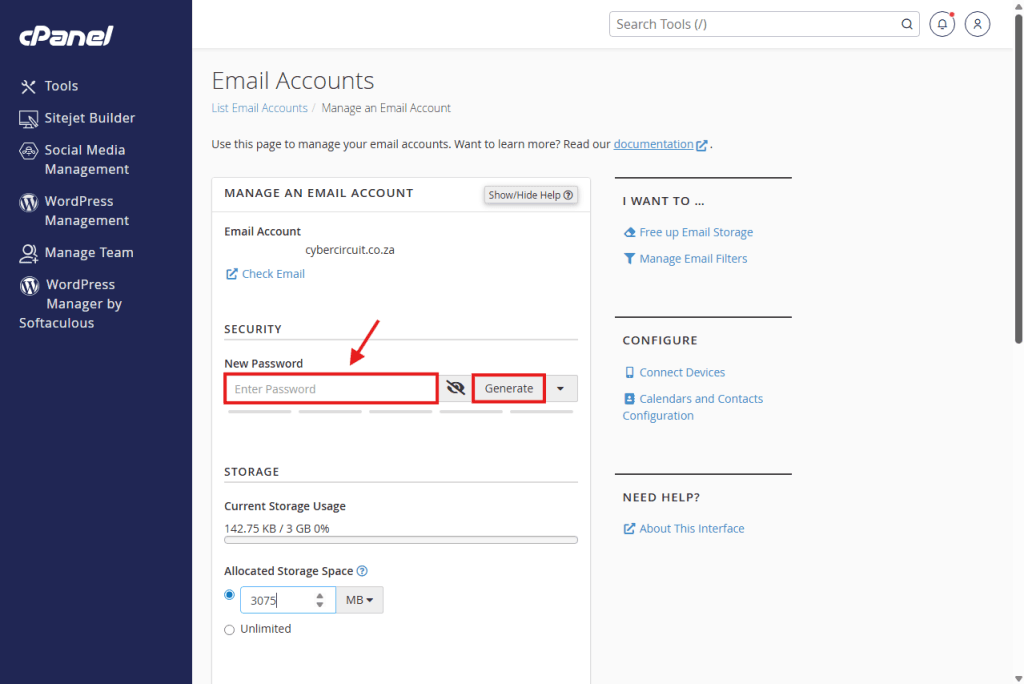
- Click Manage next to the email address.
- Enter a new password or use Generate.
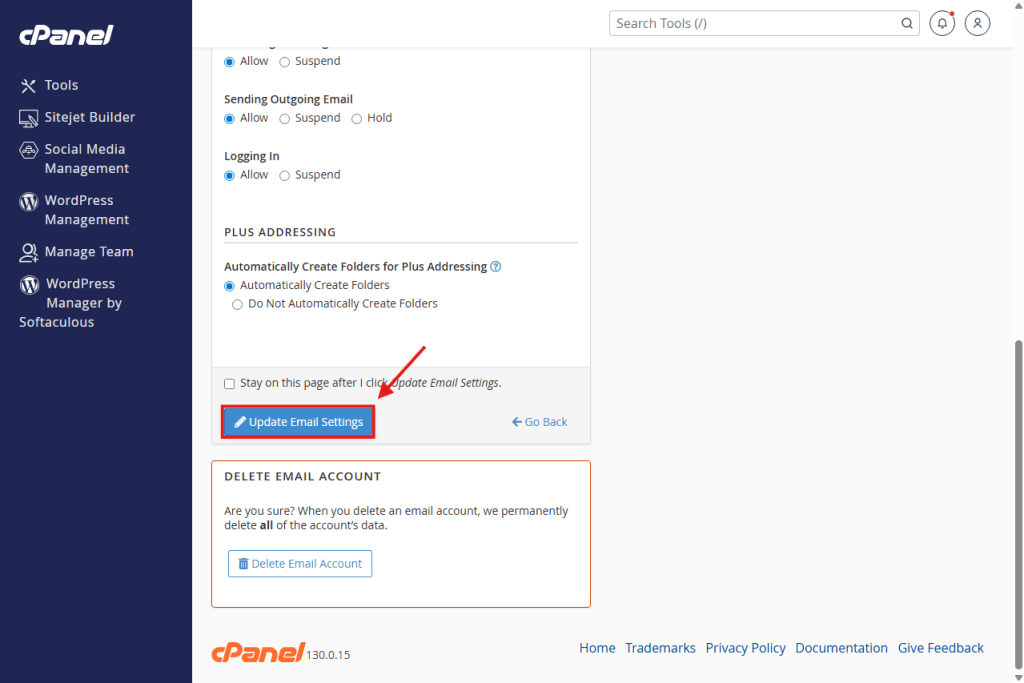
- Click Update Email Settings.
Step 5: Update Your Devices and Apps
After resetting the password:
- Update the new password on Outlook, Gmail, phones, and other mail apps
- Log out and log back in if needed
⚠️ If you don’t update devices, email will stop sending or receiving.
✅ You’re all set!
Your email password has been successfully reset.