
Upgrading your hosting package with Cyber Circuit is safe and does not delete your website, emails, or files. This guide explains how upgrades work and how to request one.
Step 1: Log Into Your Client Area
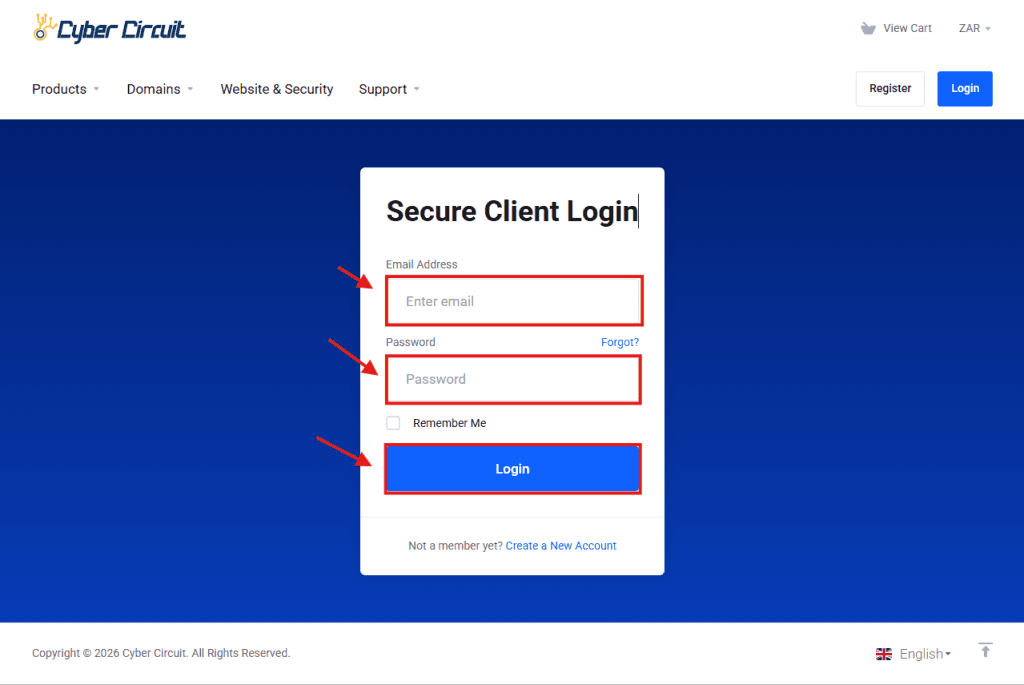
- Go to the Cyber Circuit Client Area.
- Log in using your email address and password.
Step 2: Open Your Hosting Service
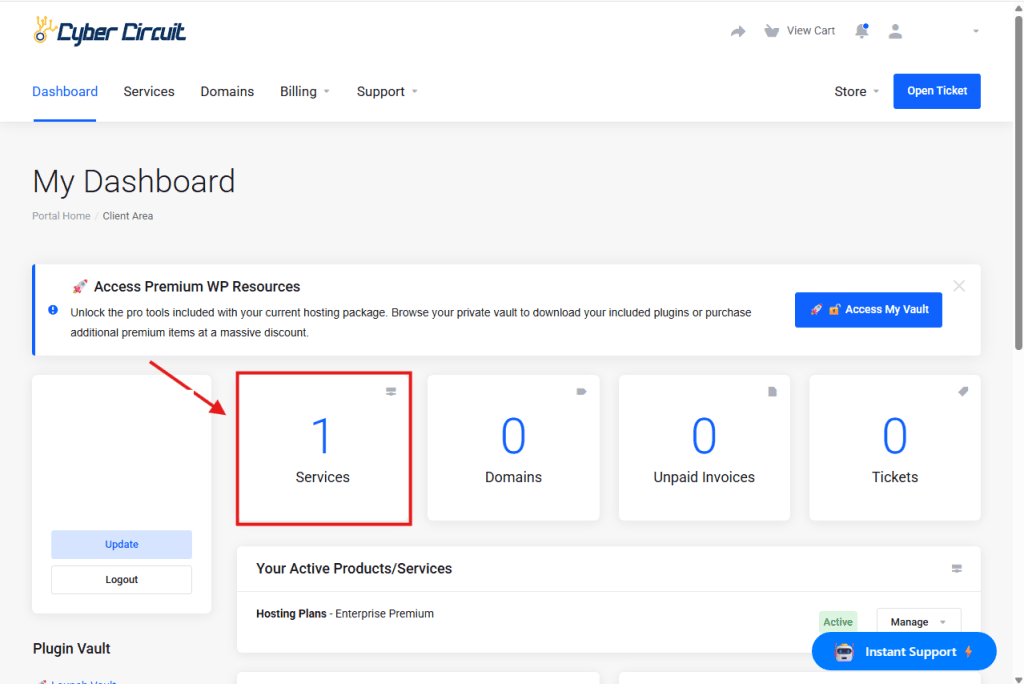
- On your dashboard, locate and click the Services tab. This will open a list of your active hosting packages and products.
Step 3: Select Upgrade/Downgrade
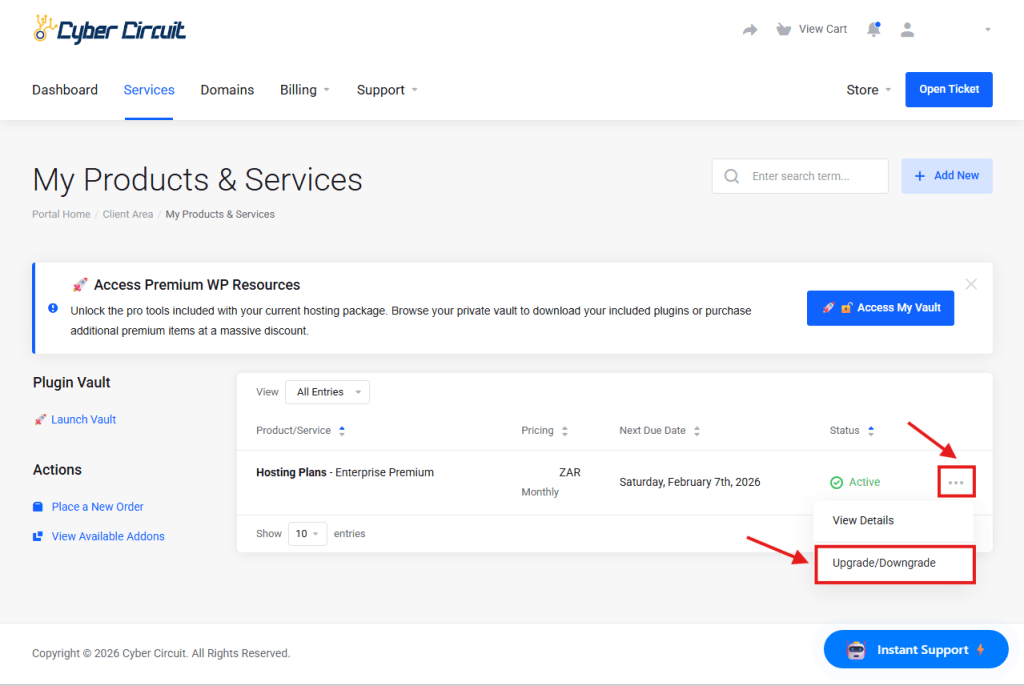
On the “My Products & Services” page, locate your active hosting plan. Click the three-dot menu icon (⋯) on the far right of the row and select Upgrade/Downgrade from the dropdown menu.
Step 4: Choose Your New Plan
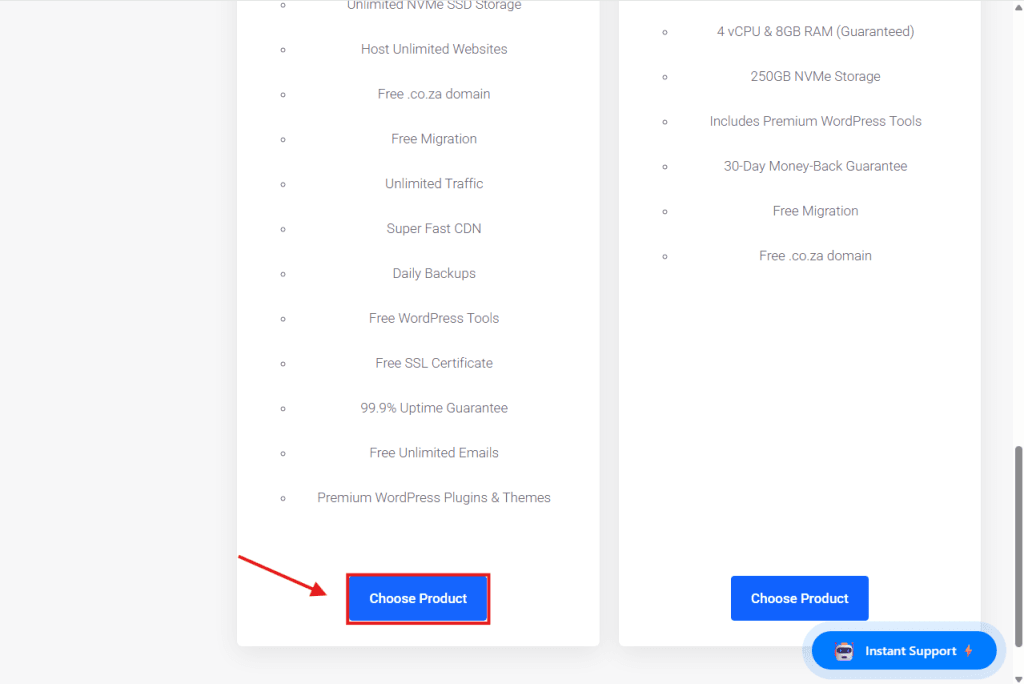
You will now see a list of available plans under New Configuration. Compare the features and pricing of each plan, then click the Choose Product button for the one that best fits your needs.
Step 5: Review Summary and Checkout
On this screen, review your upgrade details.
Price Calculation: Note that the amount is calculated based on a credit for your unused current plan minus the cost of the new plan.
Finalize: Once you have verified the Total Due Today in the blue order summary on the right, click the Checkout button.
- Once you click Checkout, the system will automatically charge the primary payment method saved to your account. As soon as the payment is successfully processed, your hosting plan will be upgraded instantly. You will receive a confirmation email once the process is complete.
✅ You’re all set!
You can now upgrade your hosting package with confidence.